- Role
- Product Designer
- Scope
- Since June 2023; migration to the next version in progress
- The problem
- Syniverse’s design system was written for people. An AI agent reads it literally, so every gap and every “?” in the docs became a guess.
- My role
- I extend the design system (components, the grid, dark mode, QA) and rewrite its documentation as Markdown that people and AI agents both read. Its Figma library documents 39 components, and two engineering teams of five build on it.
- What I decided
- Name primitives by hue and roles by job. Run four themes from one token set. Keep the rules in DESIGN.md, not in each prompt.
- Where it stands
- The current version is in production. The next version is in internal QA. Claude Code already builds coded prototypes from the system.
4
themes from one token set
39
components in the library
2
density modes on one whole-pixel grid
12
categorical chart colors in permitted sets
45%
less design-to-development time
Context and my role
Syniverse’s products are operations tools for telecom traffic. A typical screen has a title with one primary action, a filter panel, and a datatable with status pills, protocol tags and row actions. The design system is the Angular library, the Figma library and the guidelines behind them.
I joined in June 2023, when the system was already in production. As a designer I added cards, the date and time picker, charts, the layout grid and dark mode. Recently the system gained a second reader: we write screen specs as prompts and Claude builds them from the design system, first into Figma and now into coded prototypes.
The problem
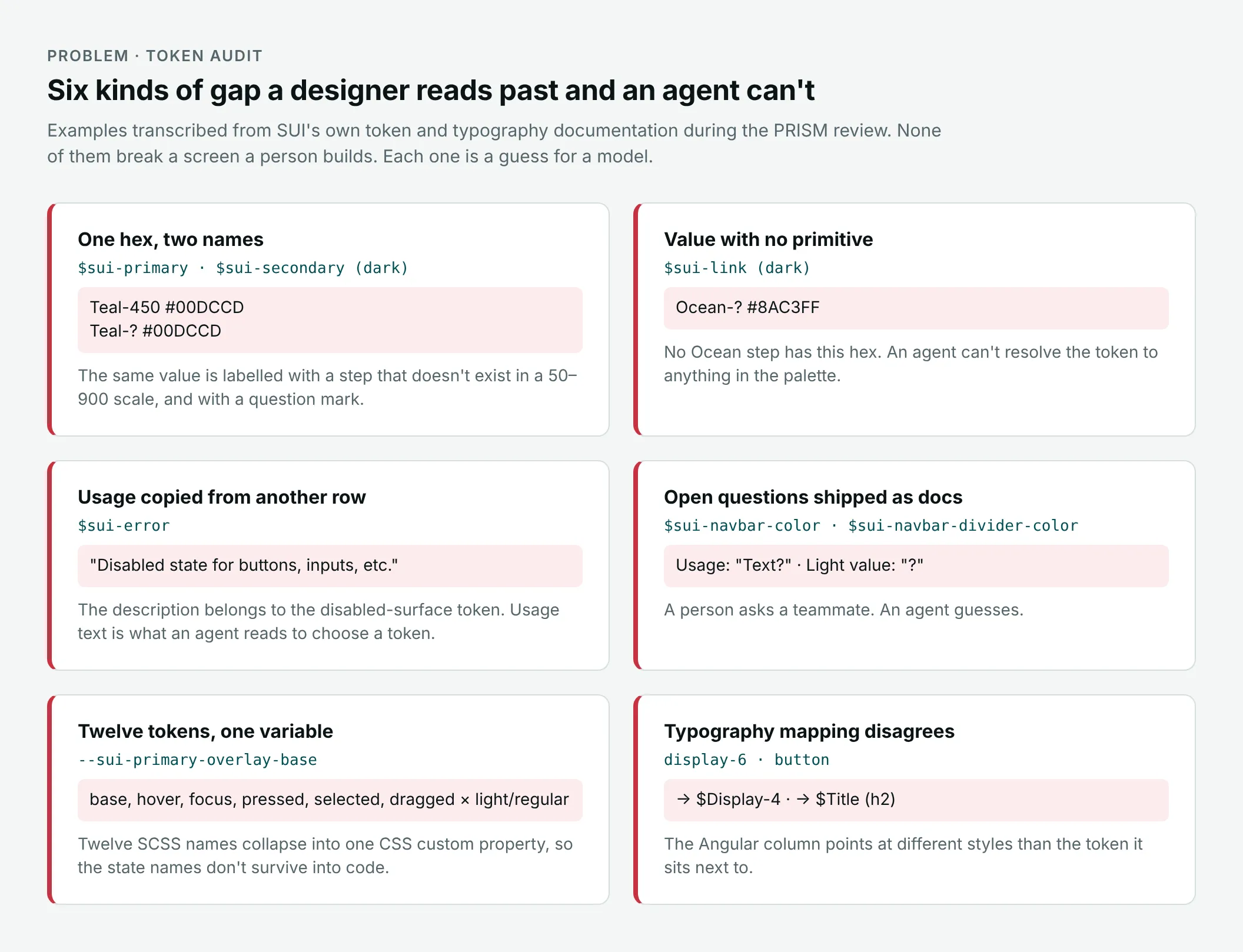
A designer fills gaps with context. An agent takes the docs literally and, where they are unclear, guesses. Reviewing our token and typography docs row by row, I found gaps that were concrete and repeatable.
Open full image (opens in a new tab)
None of these breaks a screen a person builds. Each is a coin flip for a model.
The first prompt specs showed the same problem from the other side. Each had to restate the system’s rules, and copies carried stale pieces along: the Alarms spec still listed the “Create rule” button from Active Rules. Rules that live in prompts drift, because every prompt is a fork.
How I approached it
Dark mode exposed the gaps. Mapping every semantic token to a dark value revealed steps the primitive palettes didn’t have. Many “?” values came from there.
An audit loop beside production. The migration to the next version runs alongside production, so engineering is never blocked. I audit the tokens row by row against one question: could an agent resolve this without asking anyone? Then Claude builds specs from the system, I log every off-system result, and each finding is fixed in the system.
Docs for two readers. I rewrite the docs I own, starting with the grid and cards. Values are in px and rem (type tokens in rem, the grid mapped to Tailwind and CSS), arithmetic is written out, and rules are stated as rules (“detaching components is not allowed”).
Key decisions
Name primitives by hue, roles by job
- Decided
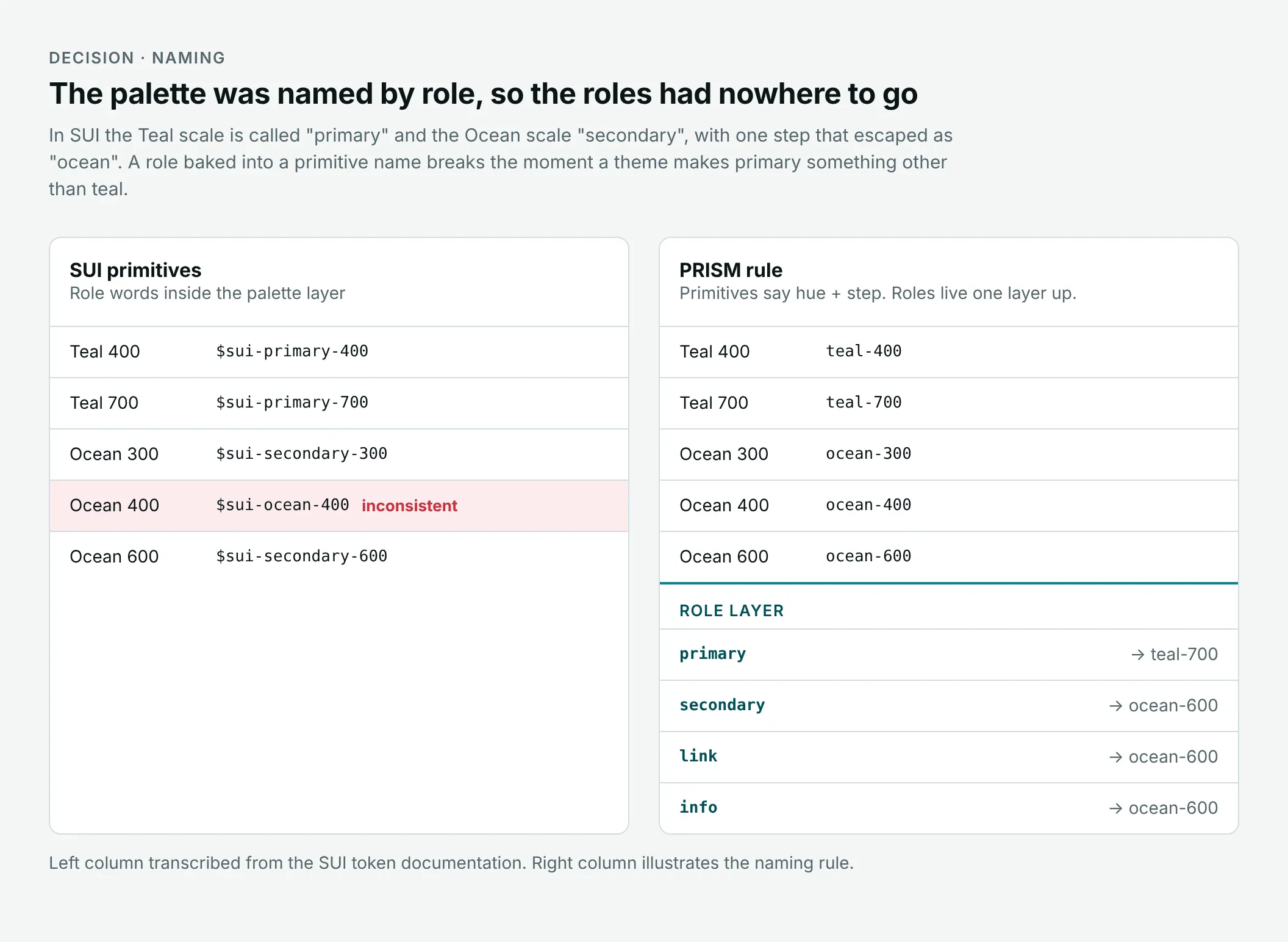
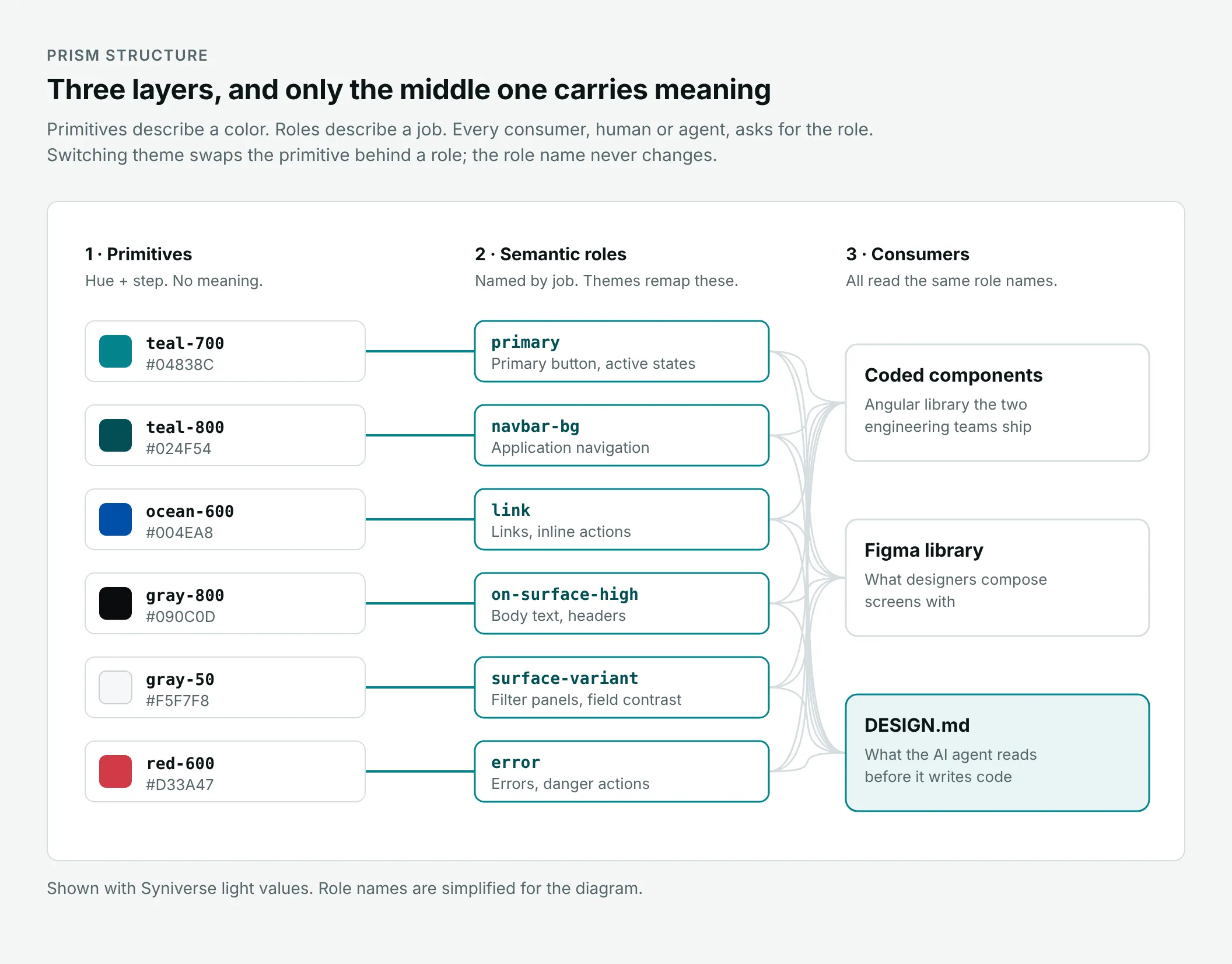
- Primitives are named by hue and step; a role layer says what a color is for. Components, Figma and DESIGN.md ask for the role, a theme picks the primitive, and every theme value resolves to a real one. No “Teal-?” ships.
- Discarded
- Role words in primitive names, as in the current version’s primary-color tokens.
- Why
- “Primary” stops being true when a theme makes it something other than teal. A missing primitive lets an agent invent a hex.
Open full image (opens in a new tab)
Open full image (opens in a new tab)
One token set, four themes
- Decided
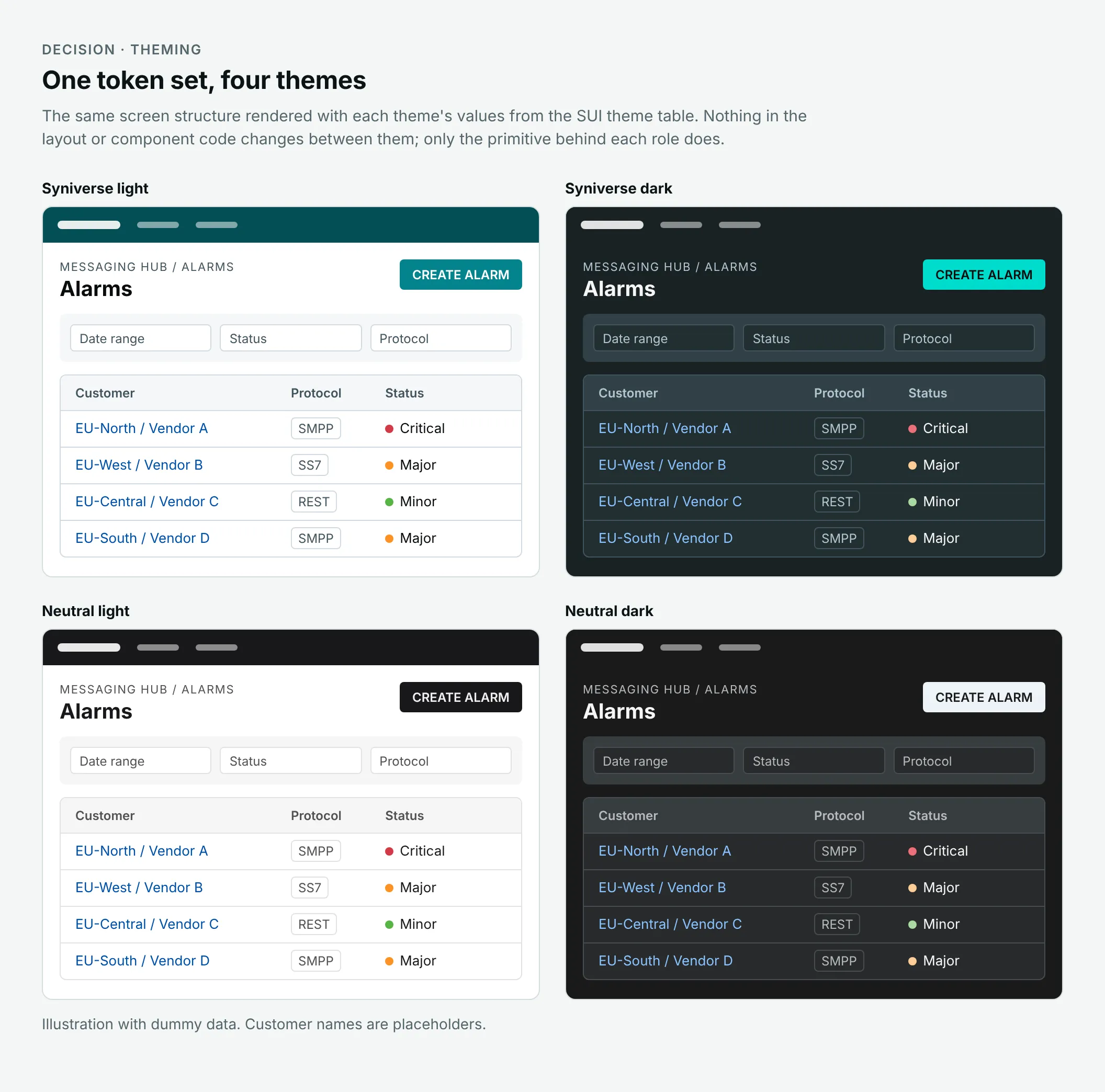
- Syniverse and Neutral, each light and dark, render the same screen without touching layout or component code. Only the primitive behind each role changes.
- Why
- Dark mode proved the token layer was worth fixing, and the neutral themes show the system isn’t tied to Syniverse’s teal.
Open full image (opens in a new tab)
A whole-pixel grid, with density and an AI panel that respect it
- Decided
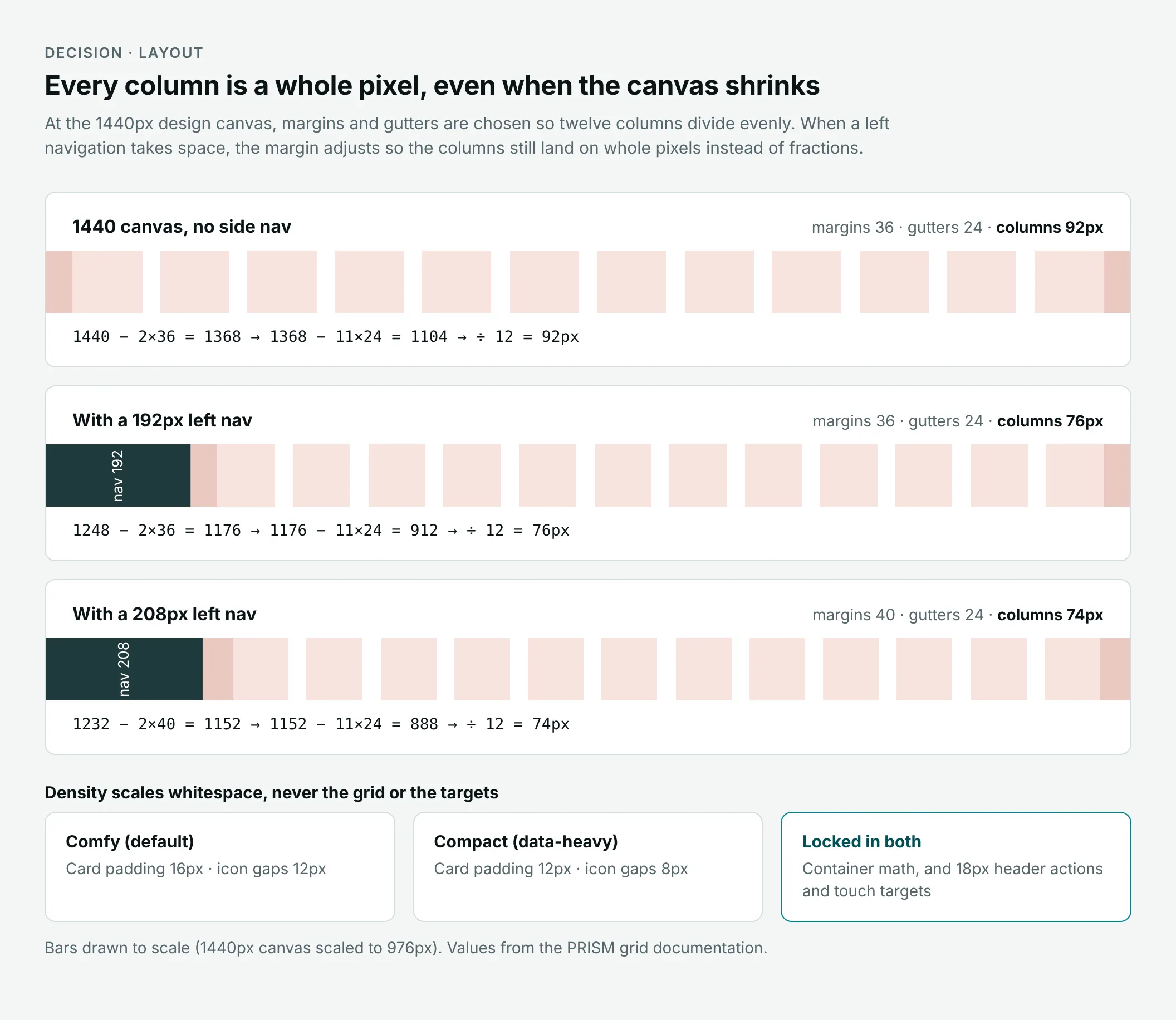
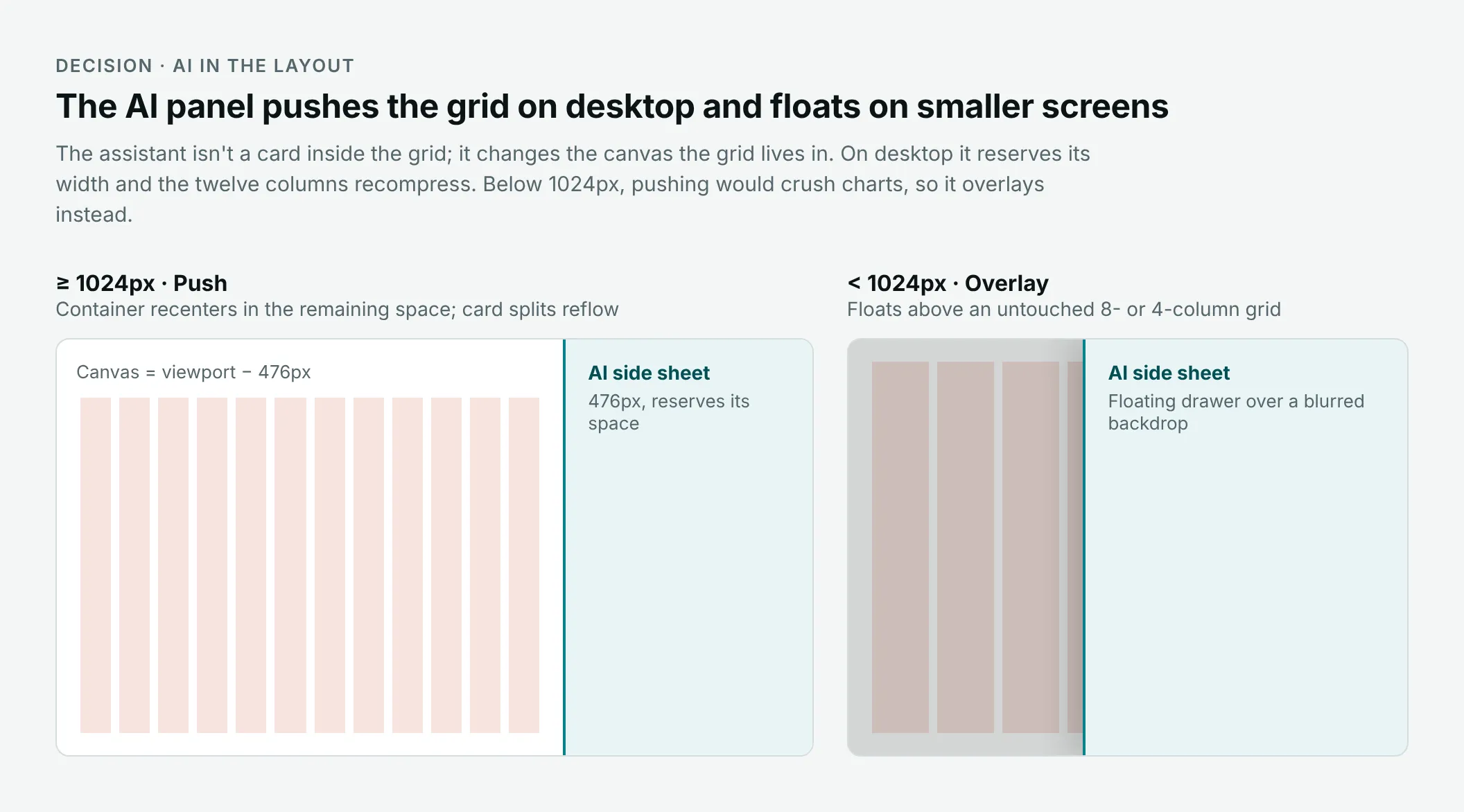
- Column math always lands on whole pixels: at 1440px, twelve 92px columns, or exactly 76px beside a 192px nav. Compact density tightens whitespace, never touch targets. The 476px AI panel pushes the grid on desktop and floats over it below 1024px.
- Discarded
- Treating the AI panel as one more card.
- Why
- No sub-pixel blur or drift between Figma and the browser. The panel changes how much canvas the grid has, and pushing below 1024px would squash charts.
Open full image (opens in a new tab)
Open full image (opens in a new tab)
Rules live in the system, not in the prompt
- Decided
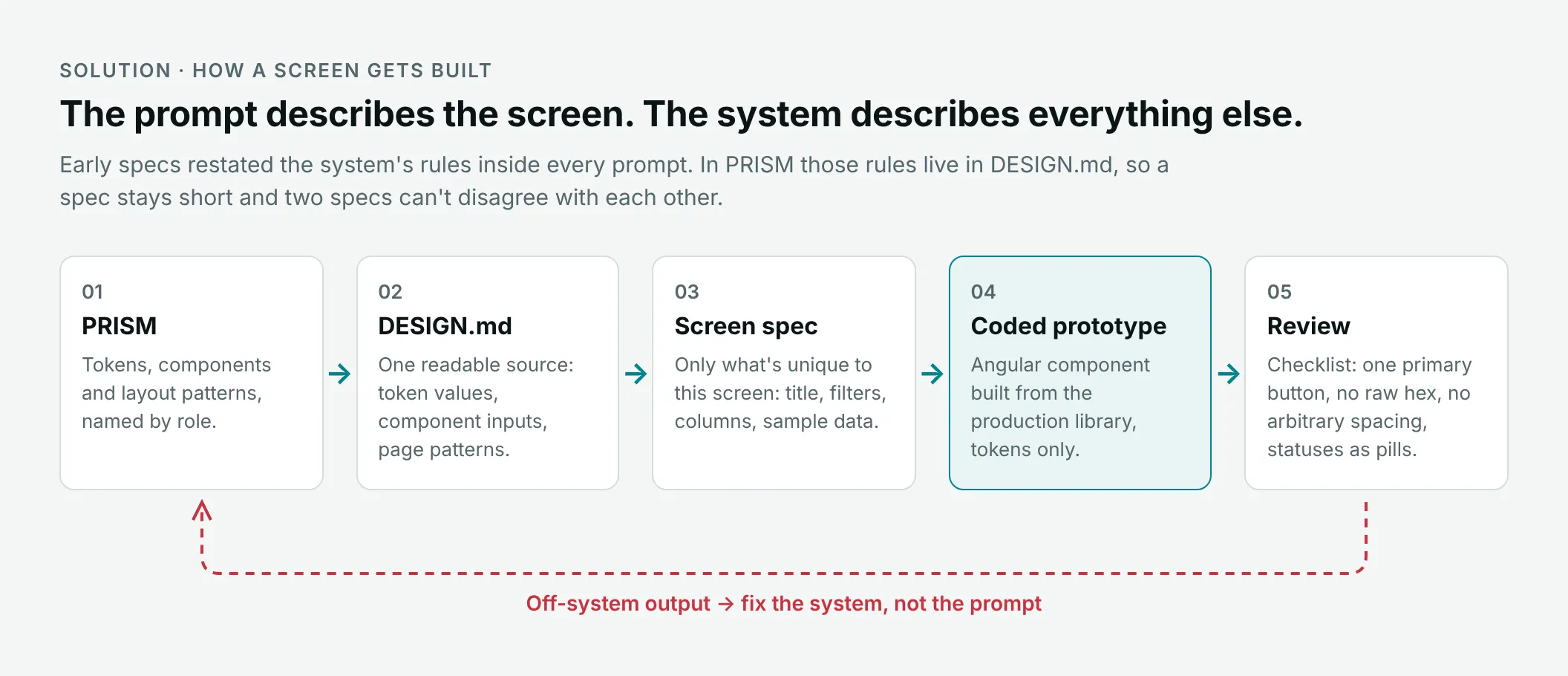
- Every rule the early specs repeated moved into DESIGN.md, the one file the agent reads before it writes code. A spec only says what is unique to the screen.
- Discarded
- Restating the rules in every prompt.
- Why
- Rules in prompts drift, because every prompt is a fork.
- Effect
- Off-system output is fixed in the design system or DESIGN.md, so the next screen gets the fix for free.
The solution
A designer writes a short screen spec: title, filters, columns, sample data. Claude reads DESIGN.md, builds the screen as an Angular component from the production library using tokens only, and the result is reviewed against a short checklist.
Open full image (opens in a new tab)
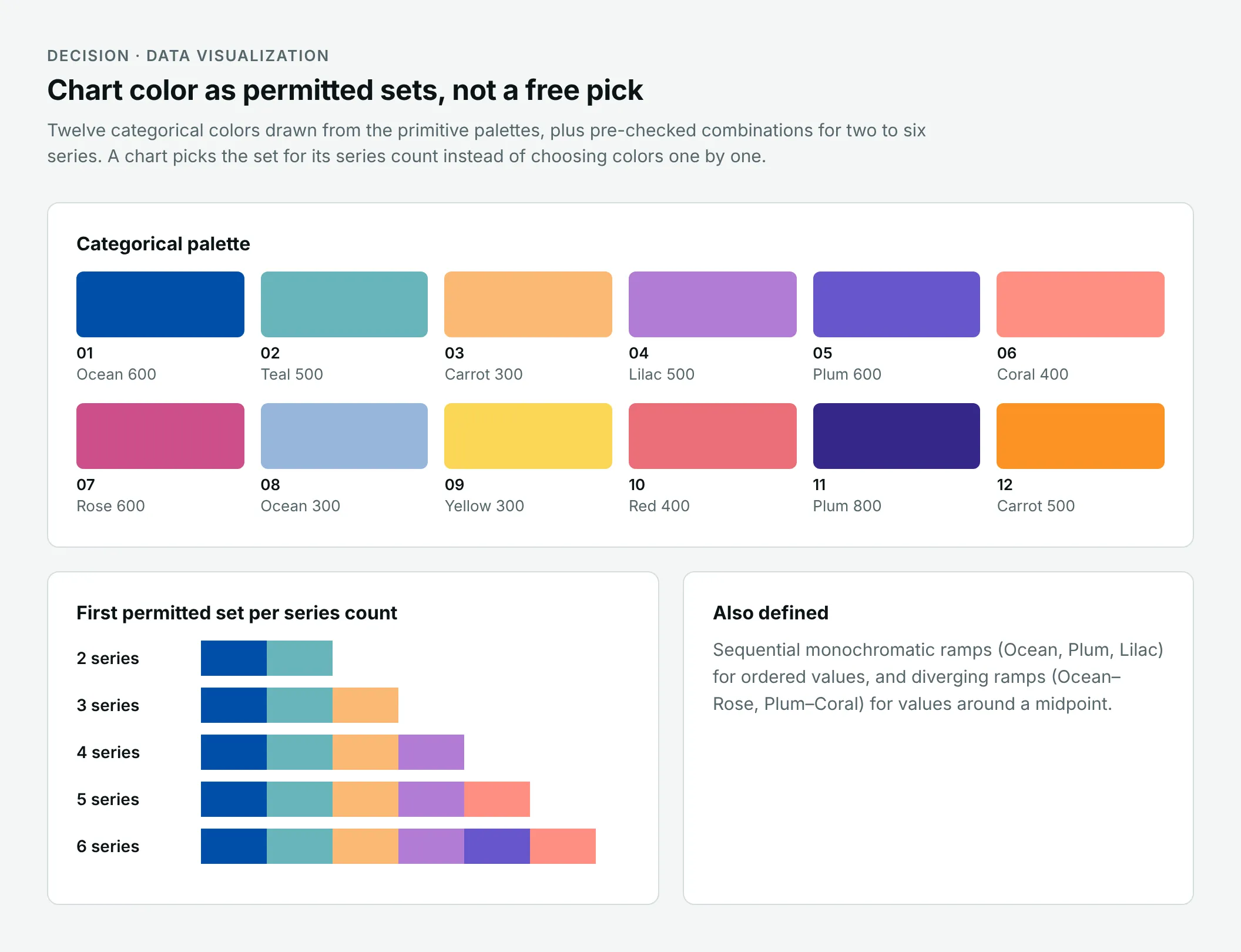
Chart color follows the same logic. The system defines twelve categorical colors and pre-checked sets for two to six series, so a chart takes the set for its series count instead of picking colors.
Open full image (opens in a new tab)
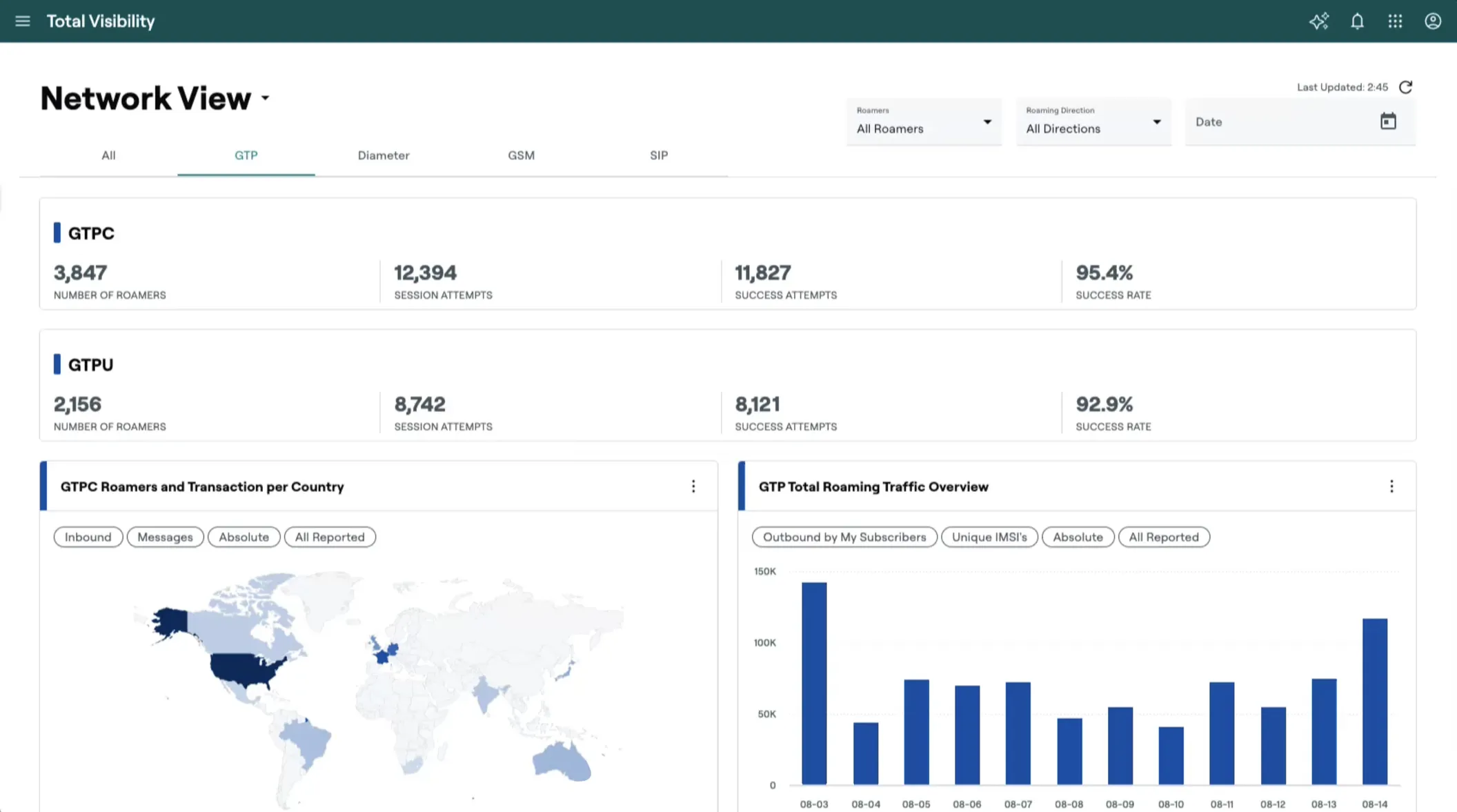
This is a coded prototype of the Network View of the monitoring tool, built from a spec against the design system. It is a browser screenshot, not a Figma frame.
Open full image (opens in a new tab)
Delivery and status
Parts of the next version are already in the front-end codebase. Components reach engineering through Figma, a review with the engineers and QA walkthroughs against the spec.
Impact
The current version is in production, and two engineering teams build on it every day. Tokenized, reusable components cut design-to-development time by 45%. The next version is in internal QA, and the build loop has already been used on two real products, the monitoring tool among them.
Reflection
I used to think a design system’s documentation was a courtesy. Writing specs for an agent changed that: every vague note and every “?” is a decision the system hasn’t made. A person quietly makes it for you, and an agent makes it differently each time.
The most useful work on the next version so far hasn’t been new components. It has been making the existing ones say exactly what they mean.
Client names in screenshots are blurred.