- Role
- Lead designer, 0-to-1
- Scope
- Information architecture and flows
- The problem
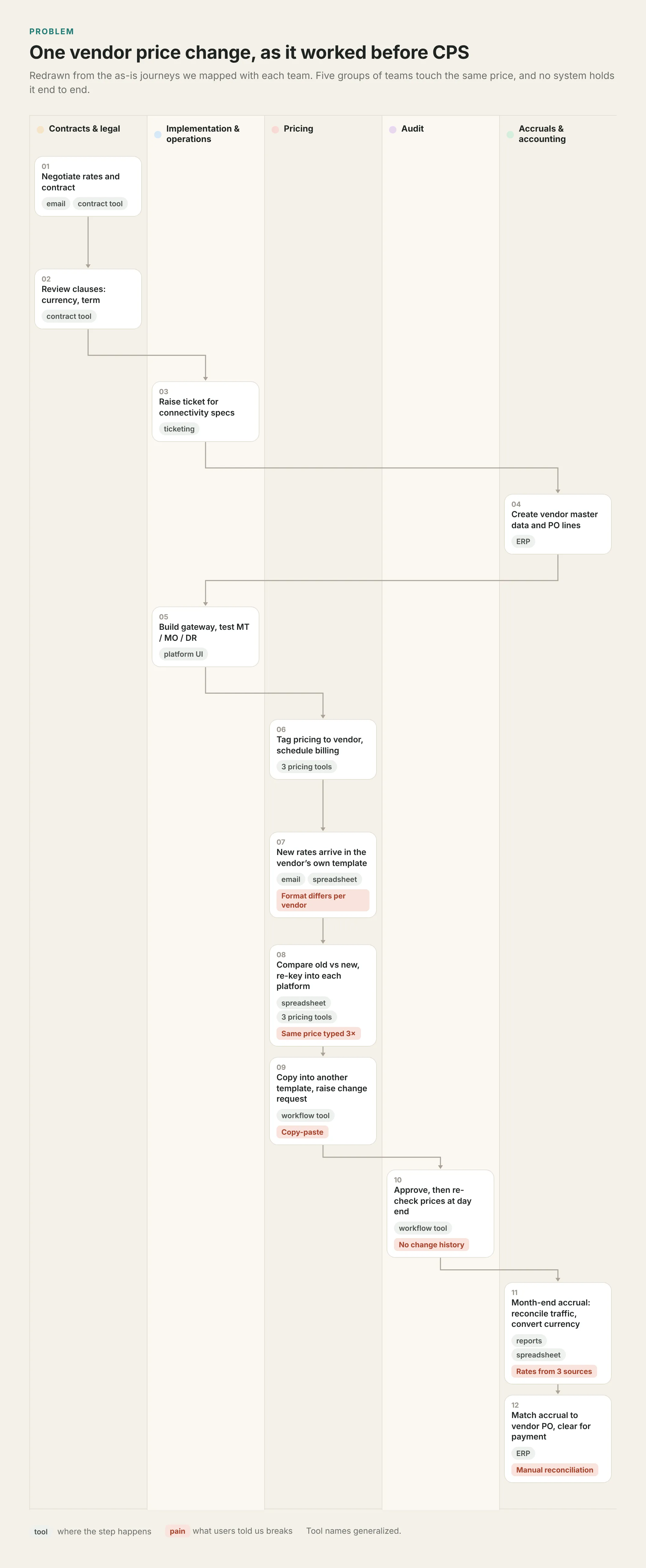
- A message’s price in and cost out lived in more than twenty tools, files and inboxes. One vendor price change crossed eight teams in five groups and twelve steps.
- My role
- I led the design from zero: ten discovery sessions, thirteen roles, the sitemap and the first release’s flows. A second designer helped with sessions and synthesis, and a six-person team built it.
- What I decided
- Organize by record, not by team. Start with vendor and gateway data. Replace manual data entry with data review.
- Where it stands
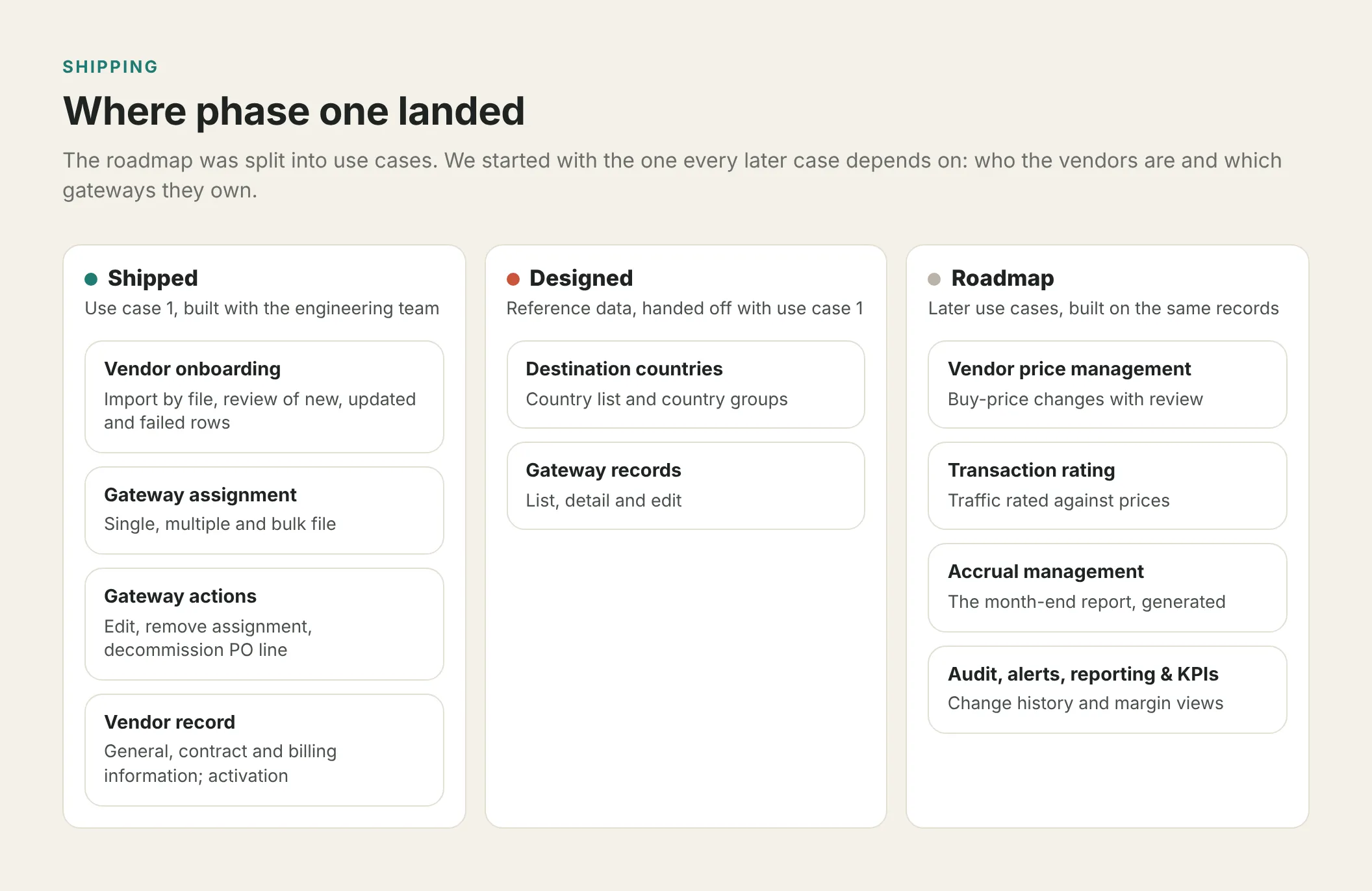
- Use case 1, vendor onboarding and gateway control, is in production. Price management, transaction rating and accruals come next.
13
roles mapped
20+
tools and files in the old process
6
as-is journeys documented
10
interview and walkthrough sessions
60%
less time to update vendor data, projected in usability testing
Context and my role
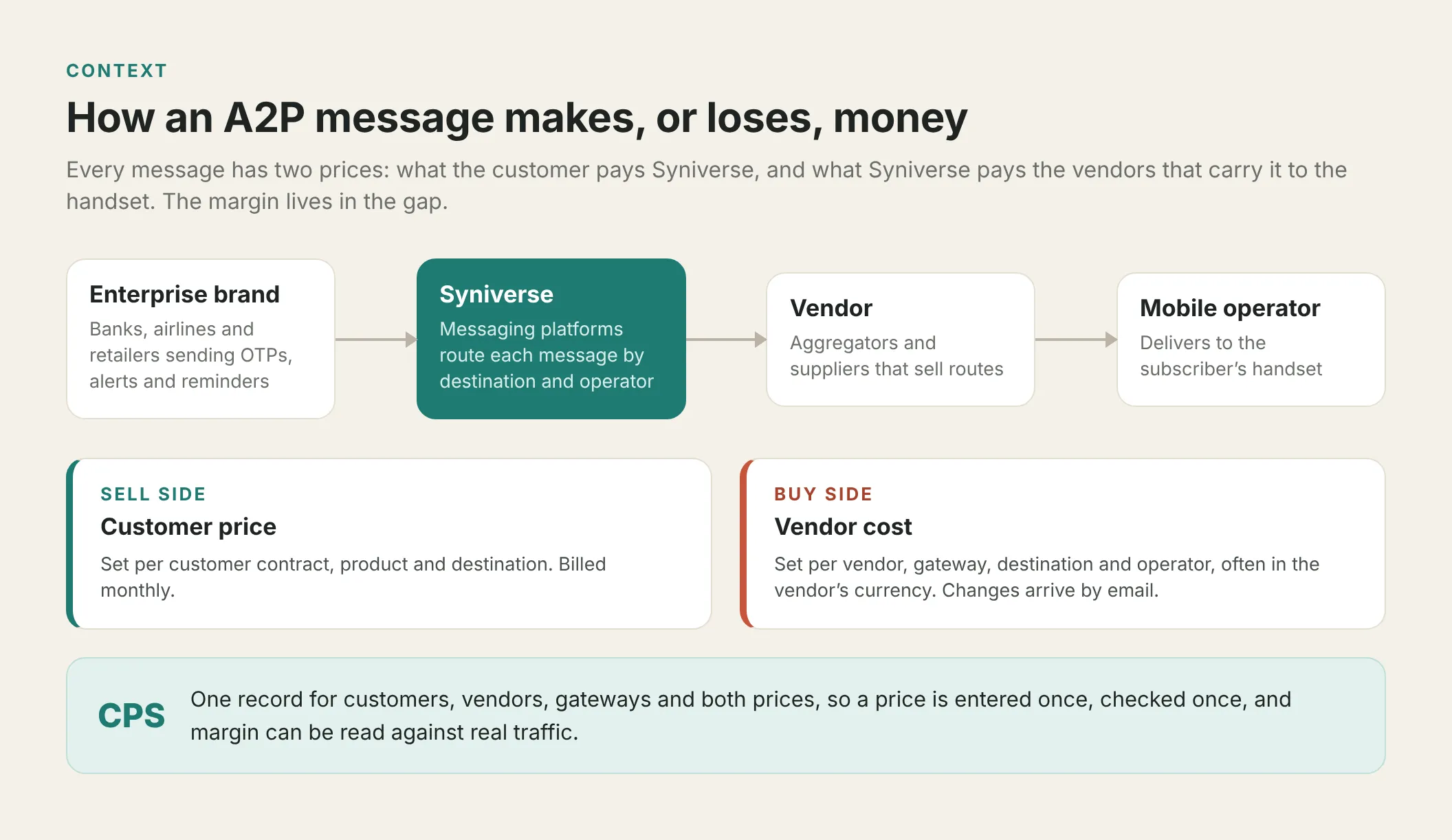
Syniverse runs messaging for banks, airlines and retailers. Every message has a price on the way in and a cost on the way out, and the global pricing platform is the internal product meant to hold both. Margin is the gap, and reading it takes both prices, the traffic and an exchange rate for the same month.
Open full image (opens in a new tab)
After three decades of acquisitions, several platforms ran side by side, each with its own pricing tool. Vendor records, price changes and month-end reconciliation were done by hand.
I ran the interviews and working sessions, made the design calls and presented them to stakeholders.
The problem
We mapped one vendor price change with every team that touches it.
Open full image (opens in a new tab)
The same patterns came up in every session:
- The same price is typed several times. It arrives by email, is compared in a spreadsheet, then re-keyed into each pricing tool.
- Nobody sees the whole process. There is no history of what changed, when or why.
- Records don’t match. The ERP’s vendor ID is not the pricing tools’ vendor ID, so every report starts with manual mapping.
- Currency is its own job. Three rate sources, converted in Excel.
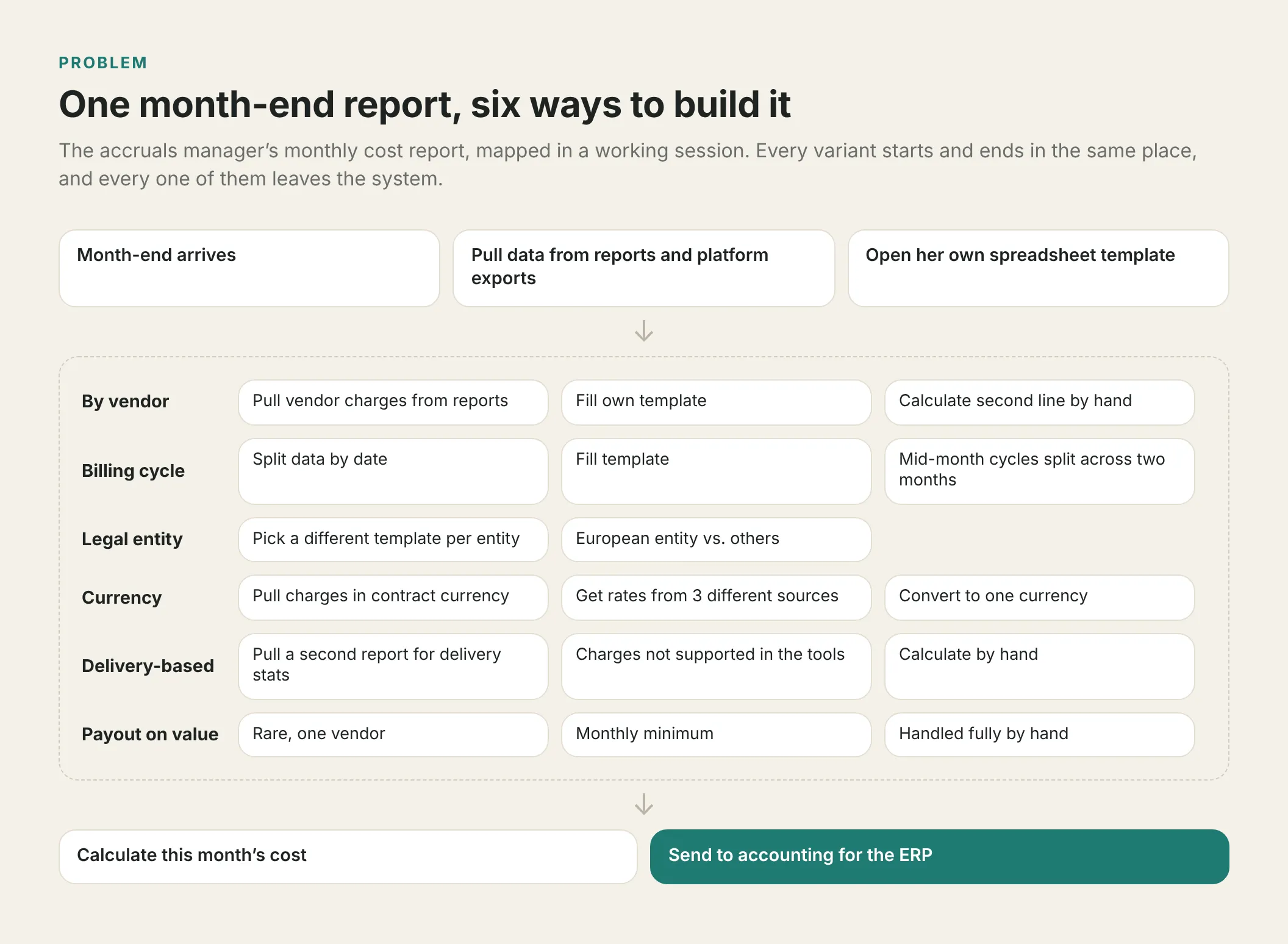
The month-end accrual report has six recipes, depending on vendor, billing cycle, legal entity, currency and charge model. Every recipe leaves the system.
Open full image (opens in a new tab)
How I approached it
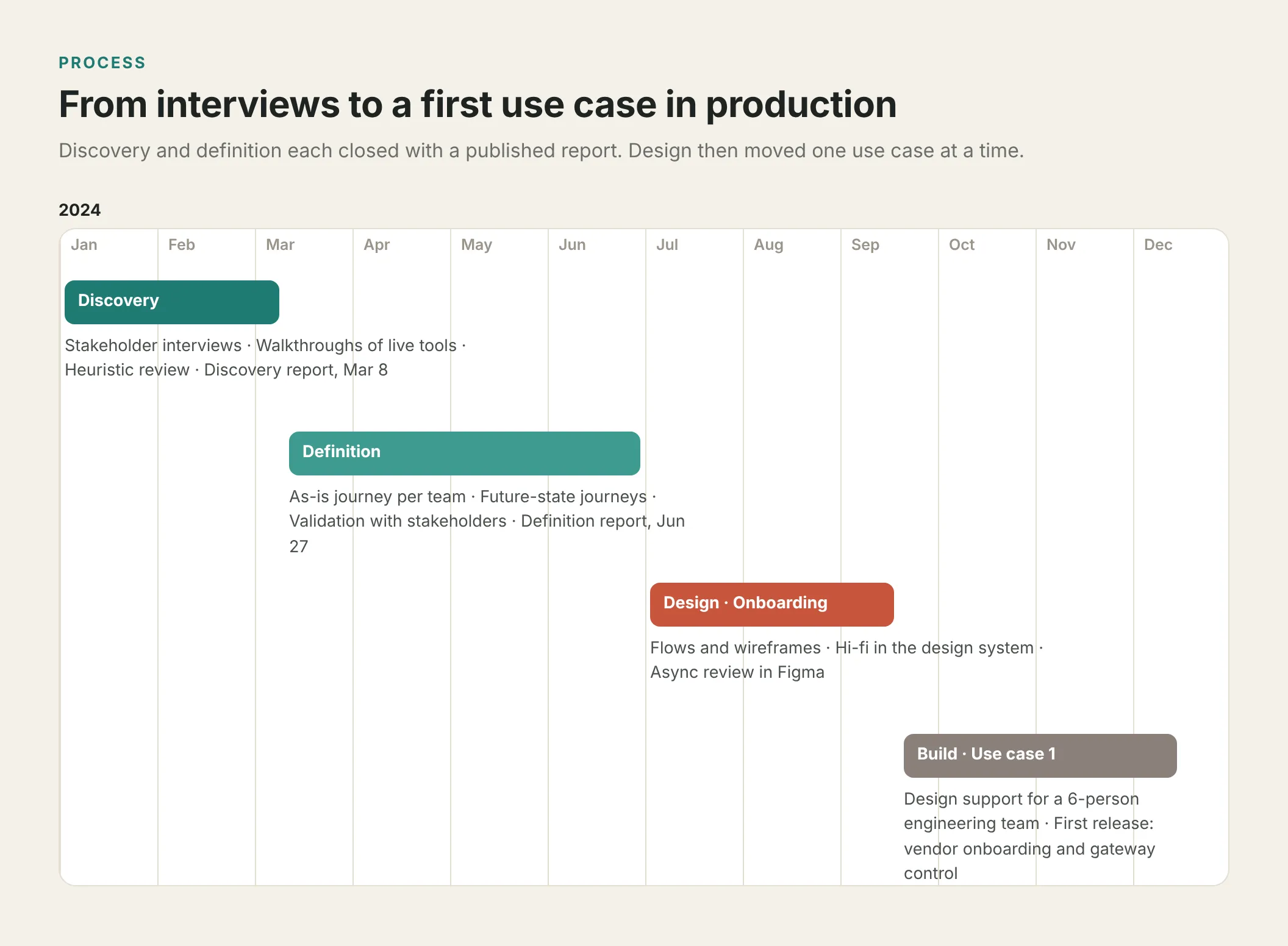
Open full image (opens in a new tab)
Discovery: real tasks, on screen. Ten sessions with pricing, billing, accruals, accounting, audit, sales and platform operations. People worked through real tasks on screen, which showed where data was re-entered and where screen and export disagreed. One requirement shaped everything after: replace manual data entry with data review.
Definition: one journey per team, thirteen roles. I mapped each team’s as-is journey and documented thirteen roles with their goals and tools (up to twelve tools for one pricing role), then validated future-state journeys with stakeholders.
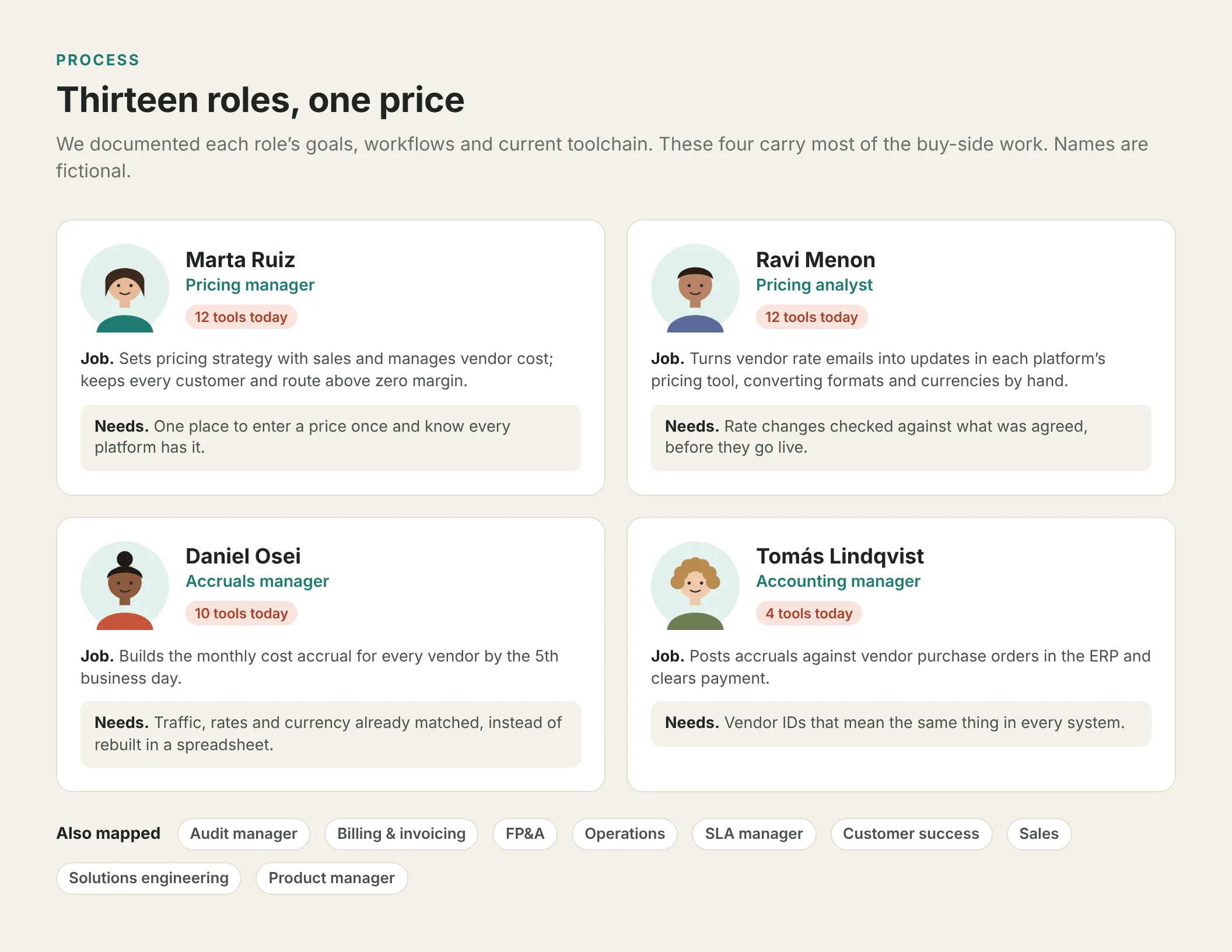
Open full image (opens in a new tab)
Design: one use case at a time. For vendor onboarding I went from flows to wireframes to high fidelity in Syniverse’s design system. Figma reviews opened with the questions I needed answered, such as “Do Billing ID and Vendor ID refer to the same thing?”
Key decisions
Organize by record, not by team
- Decided
- The sitemap follows the records everyone already talks about (customers, vendors, pricing, gateways, sender IDs), with reference data and pricing rules under Administration.
- Discarded
- Per-team sections, which every team asked for.
- Why
- They would have rebuilt the silos inside the new tool.
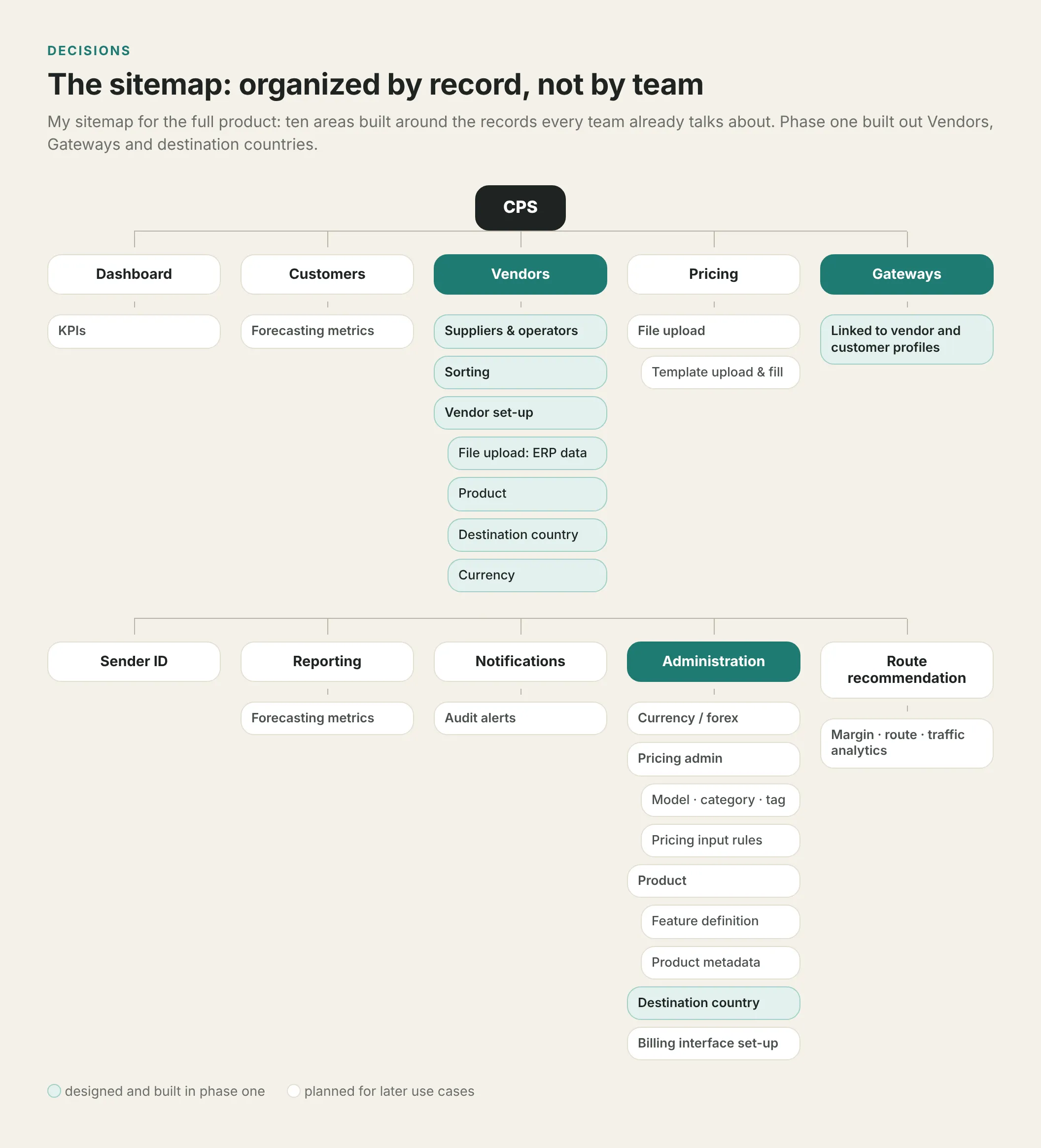
Open full image (opens in a new tab)
Start with vendor and gateway data
- Decided
- The roadmap starts with vendors and gateways.
- Discarded
- Starting with price management, the loudest pain.
- Why
- A price is only useful if the platform knows which vendor it belongs to and which gateways carry its traffic. The journeys backed that order: price changes, rating and accruals all sit on those records.
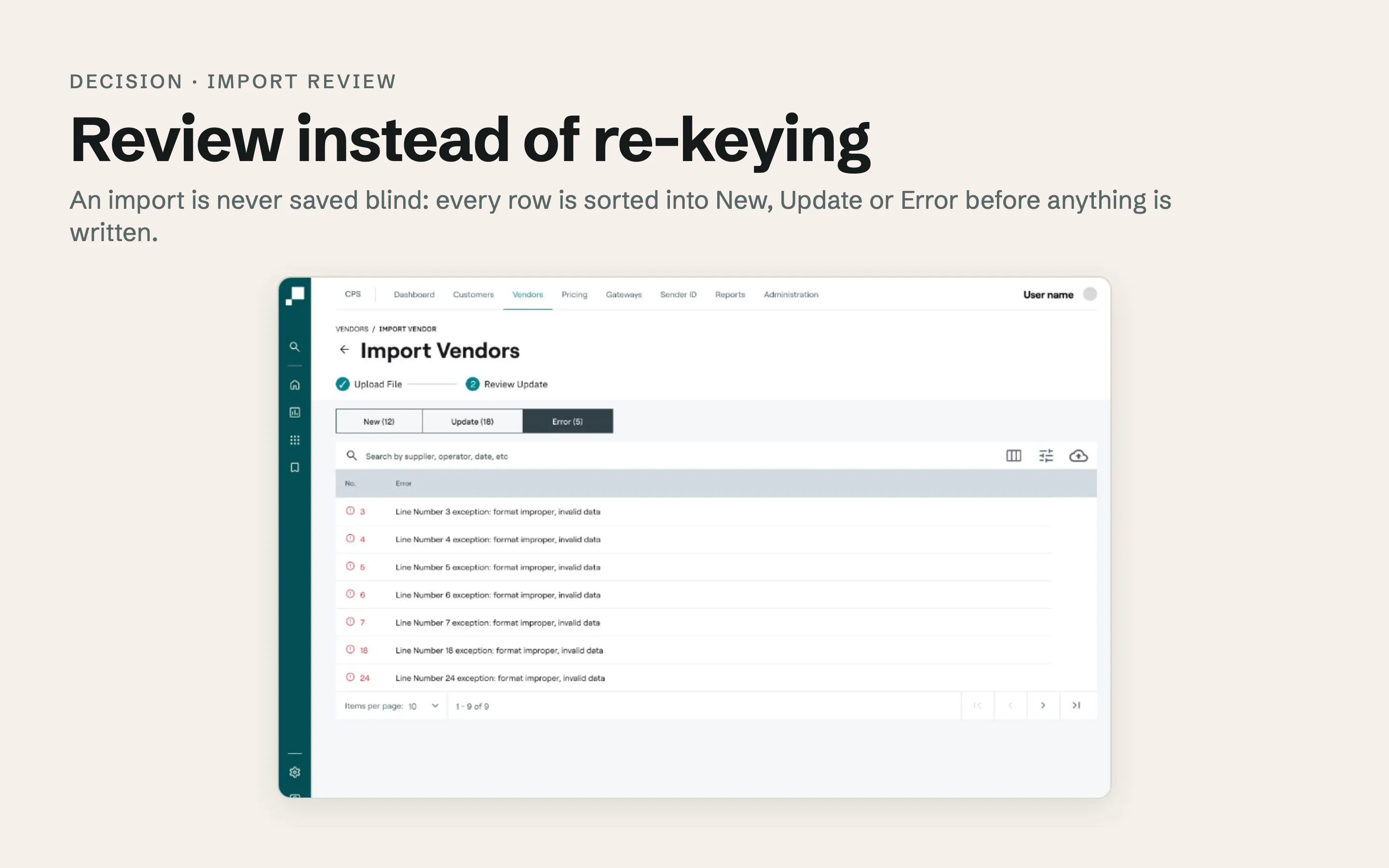
Review instead of re-keying
- Decided
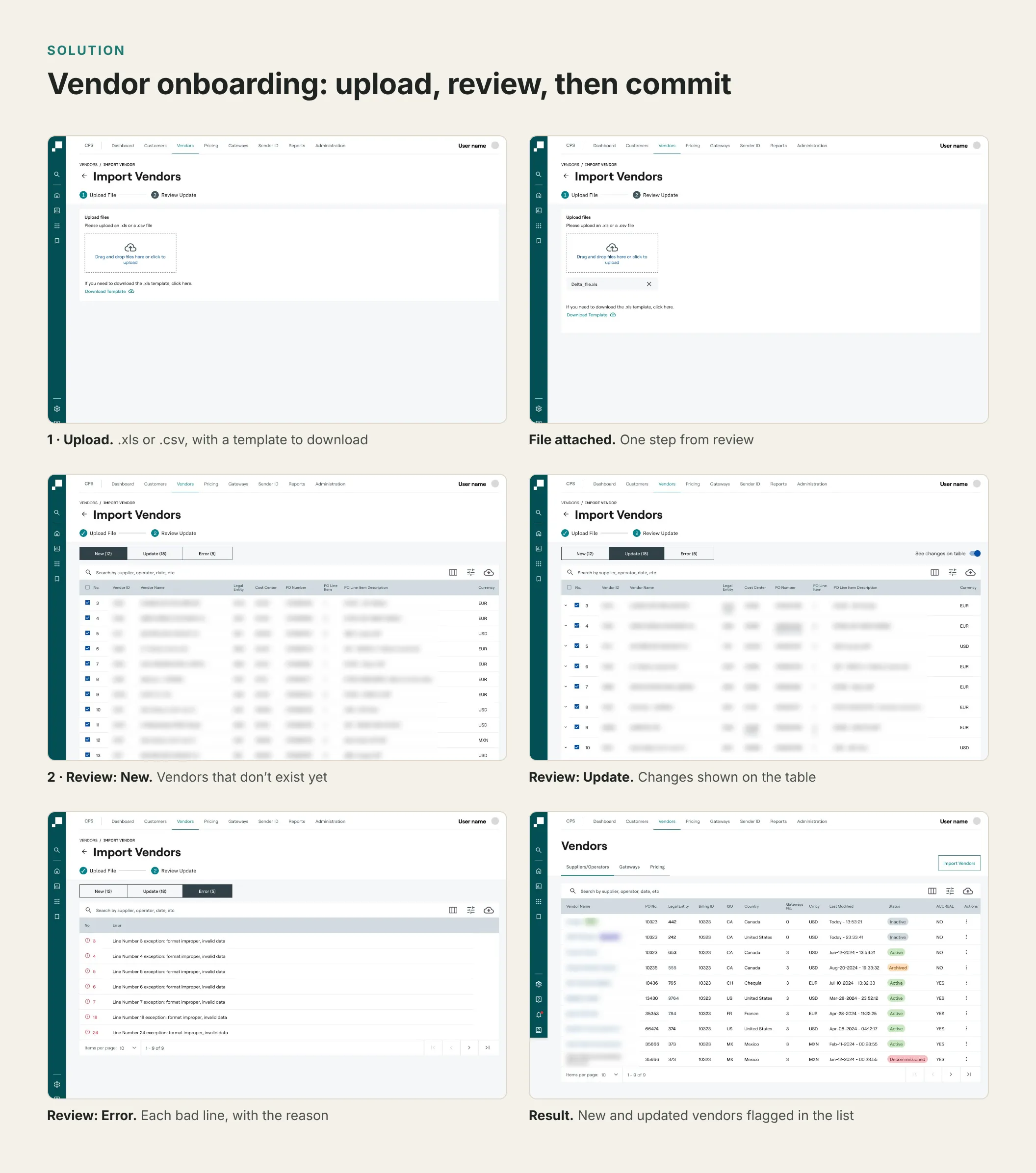
- Vendors come in by file, and nothing is saved until the user has seen it. A review step sorts each row into New, Update or Error. Updates show every field before and after, and errors give the line and the reason.
- Why
- The old process re-typed each price in several tools. In the platform the data enters once, by file, and the job changes from typing it to checking it.
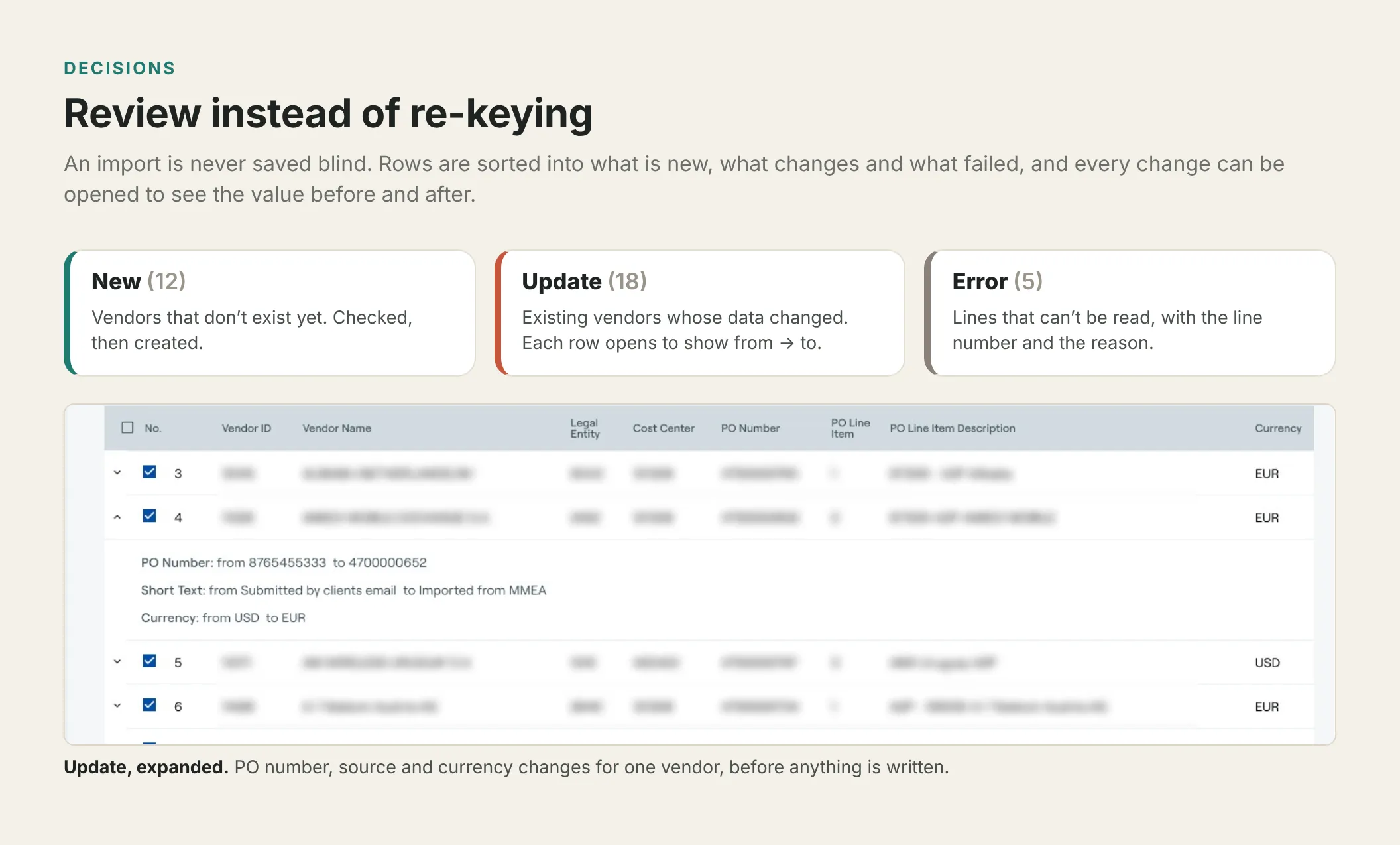
Open full image (opens in a new tab)
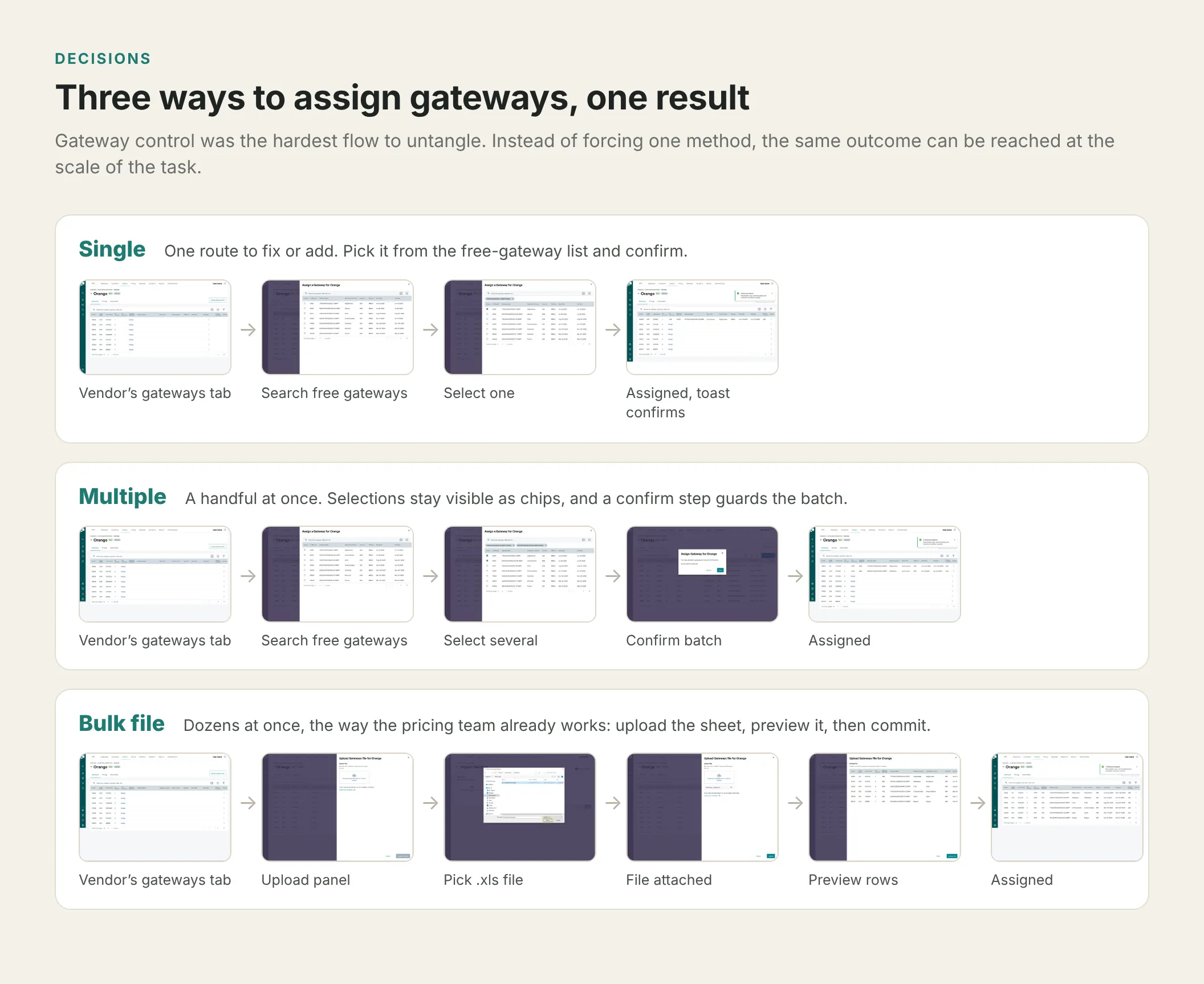
Three ways to the same result
- Decided
- Gateways can be assigned one at a time, as a multi-select batch with a confirm step, or by bulk file with a preview. All three end in the same state and confirmation.
- Discarded
- A single method.
- Why
- Sometimes a user fixes one route, sometimes a handful, sometimes a full sheet from the vendor. One method would be wrong for two of the three.
Open full image (opens in a new tab)
The solution
Vendor onboarding. A two-step import: upload an .xls or .csv (template provided), then review. After commit, the vendor list flags what was added or updated.
Open full image (opens in a new tab)
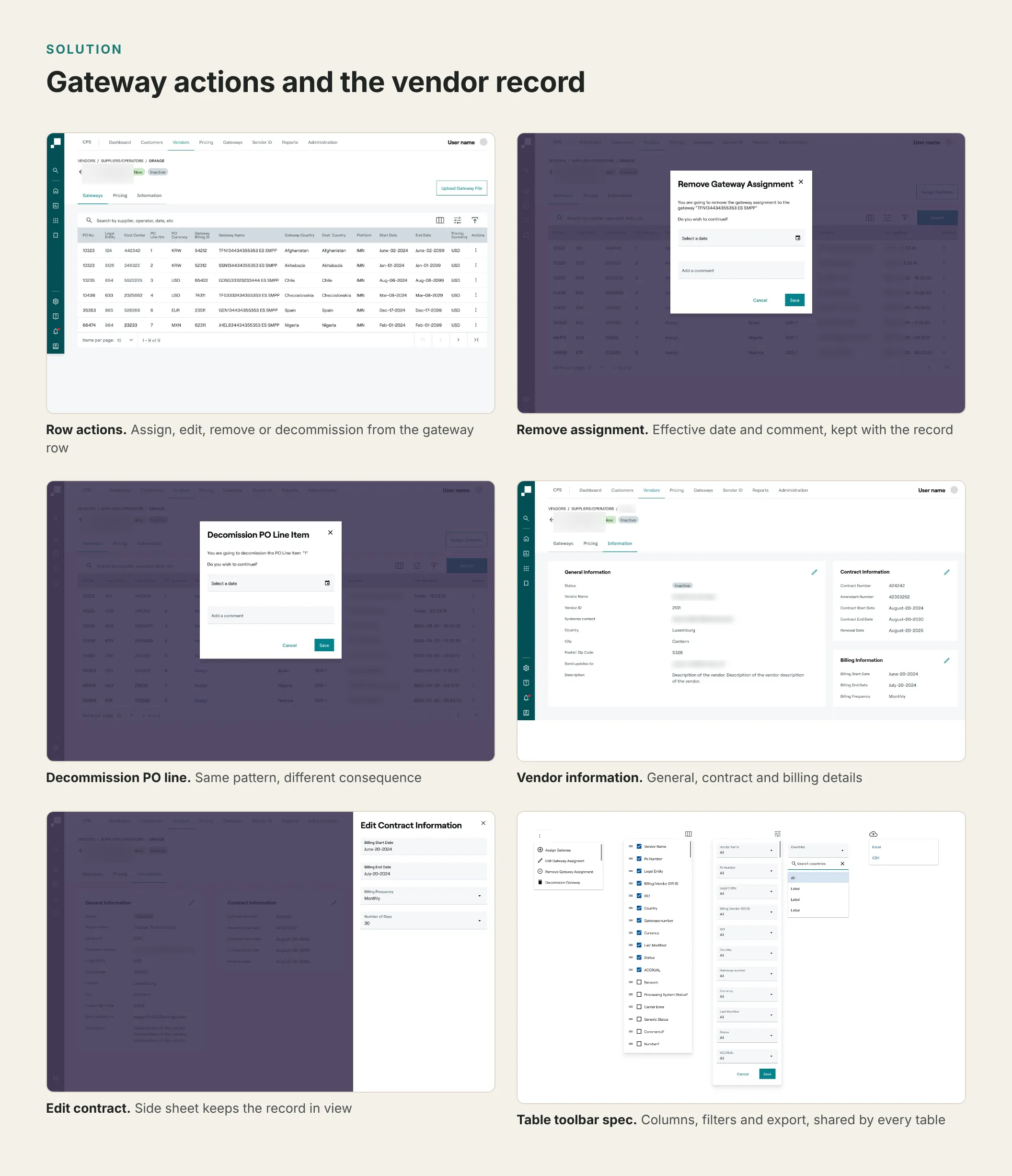
Gateways and the vendor record. Users assign, edit, remove or decommission gateways from a vendor’s gateways tab. Every destructive action keeps an effective date and a comment. Every table shares one toolbar for columns, filters and export.
Open full image (opens in a new tab)
Familiar beats new. I kept the patterns people already trusted: dense tables with search and filters, Excel import, side sheets and short flows.
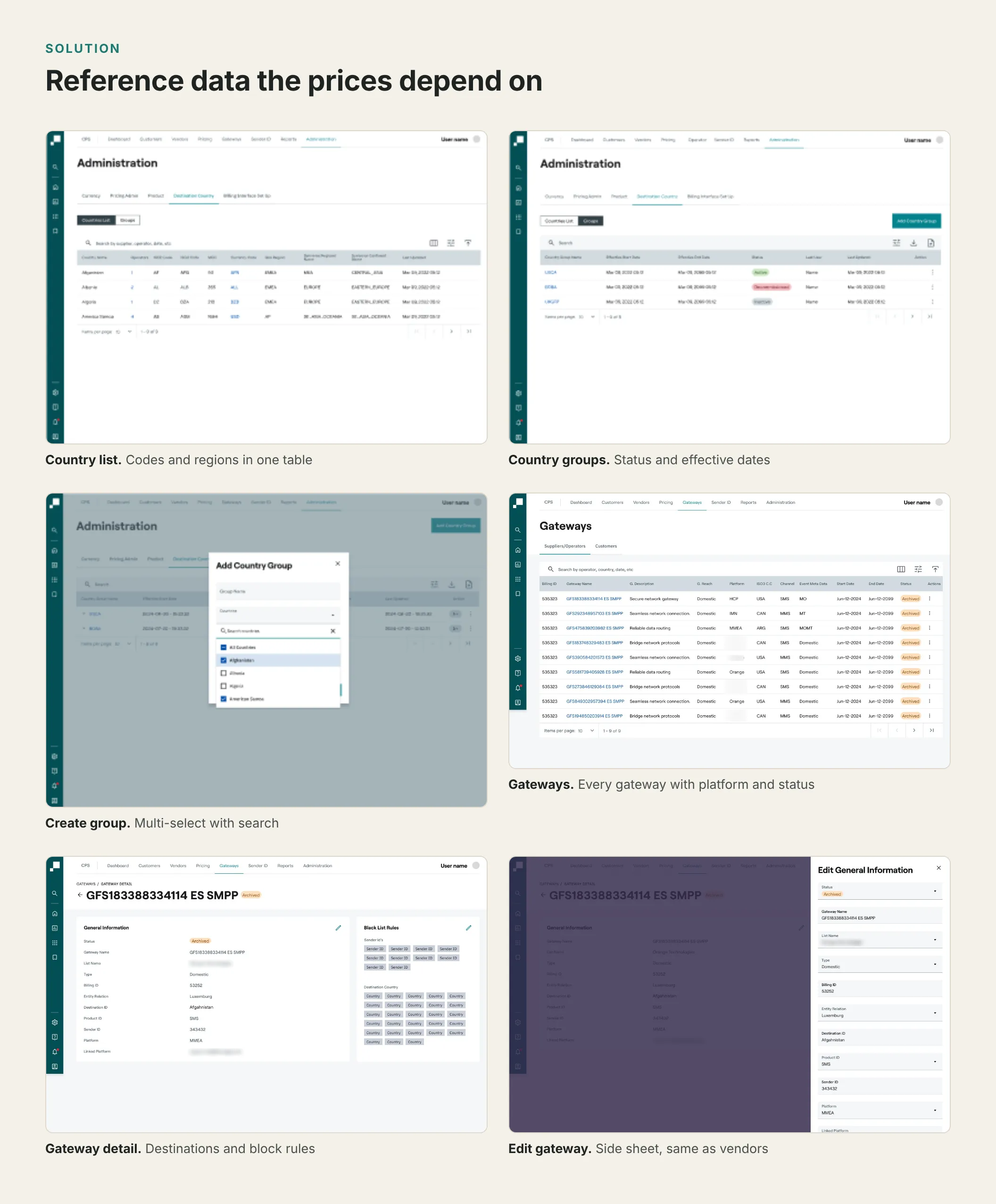
Reference data. Destinations and gateways are defined once: countries can be grouped with effective dates, and every gateway has its own record.
Open full image (opens in a new tab)
Delivery and status
The engineering team built use case 1 from these designs. I stayed through the build to answer questions, review the implementation and adjust edge cases.
Open full image (opens in a new tab)
Impact
Use case 1 is in production: vendor onboarding replaced typing data with reviewing it, and gateways have three paths to one result. Usability testing projected a 60% cut in the time it takes to update vendor data.
Reflection
Most of the design work on a project like this happens before any screen exists. The hardest questions were whether two teams’ IDs meant the same thing, and the journeys were how we answered them.
Starting with the least glamorous use case was right, because every later feature reads from vendor and gateway records. Next time, I would put the first release in front of its users with their own data sooner. Watching an accruals manager import a real vendor file would have taught us more than another review.
Client names in screenshots are blurred.