- Role
- Lead designer
- Scope
- Monitoring, dashboards and reporting; UX improvements; Highcharts, with protocol colors built from existing design system color tokens.
- The problem
- The tool operators’ engineers use to watch roaming traffic was hard to scan and hard to personalize, and ran on a rented framework Syniverse wanted in-house.
- My role
- Lead designer since August 2024: design audit, flows, approvals from product and engineering, design QA. With my UX manager, I ran about 20 interviews and made the key decisions.
- What I decided
- Three views for three audiences, plus Editor Mode so each team builds its own. One color per protocol. Predefined date ranges where the data can’t support custom ones.
- Where it stands
- Dashboards and Alarms are in production and in use. Query and Reports are in their final stages, being built on the next version of the design system.
~20
stakeholder and user interviews
2
new design system components
Date-time picker and scheduler
5
protocols, one color each
5
product areas
Dashboard, alarms, reports, query and settings
Context and my role
The monitoring tool is a product Syniverse sells to mobile network operators. Their engineers use it to watch roaming traffic across GTPC, GTPU, Diameter, GSM and SIP, and to catch failures before customers do. The legacy tool ran on a rented framework, so Syniverse rebuilt it in-house, inside the company’s customer portal, on the design system, now evolving into its next version.
I ran the design audit, designed the flows, presented them section by section to product and engineering for approval, and did design QA on the build.
Open full image (opens in a new tab)
The problem
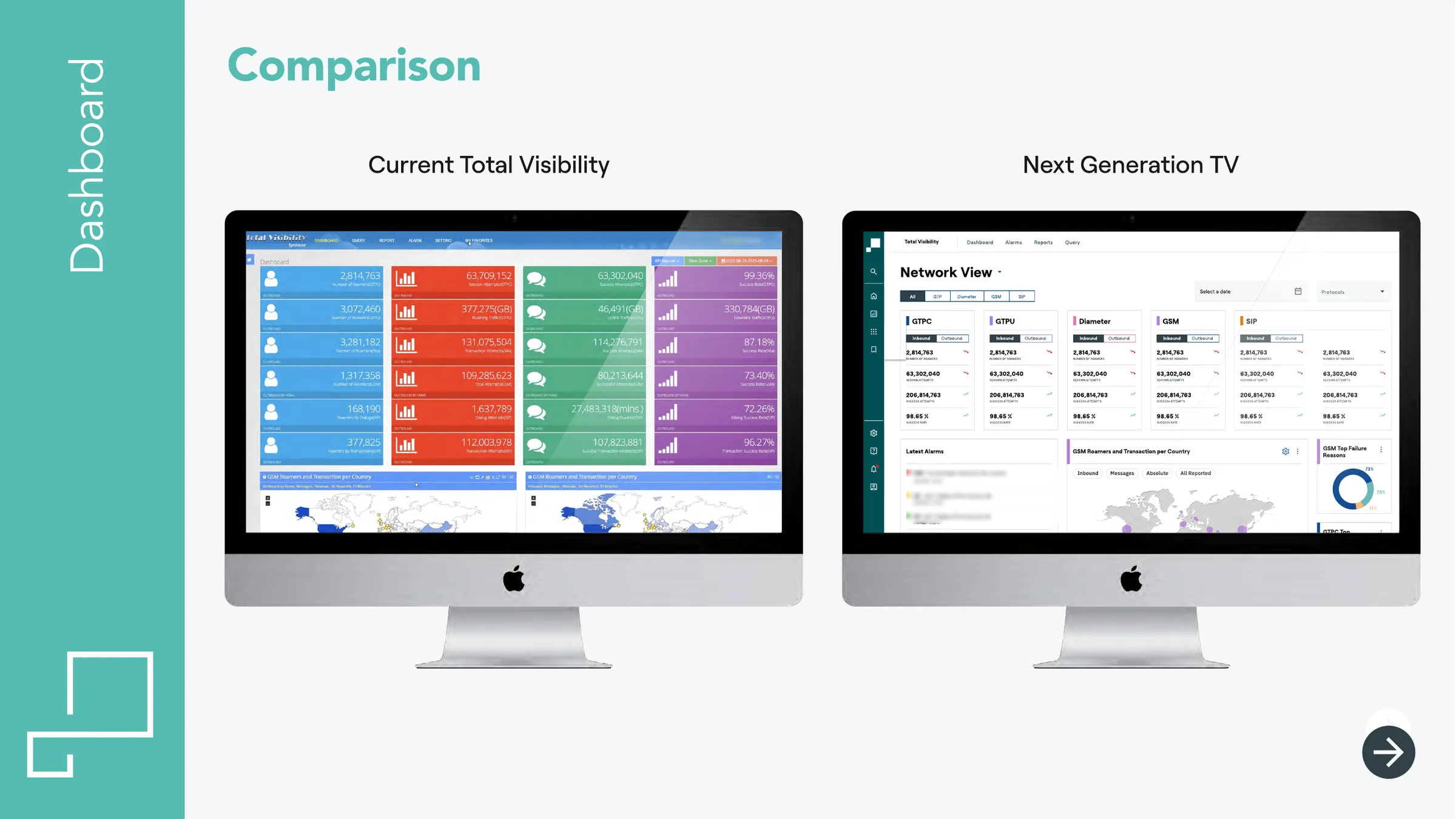
The users are network and roaming engineers whose job is to notice when something breaks. The legacy dashboard gave them the data, but a wall of saturated KPI blocks and independently configurable portlets made it hard to read and hard to personalize.
The brief was to migrate the core and make it better. The risk in any migration is that “better” becomes a coat of paint. The design audit and the interviews pointed to four problems:
- Hard to scan. Color followed KPI type and chart type, not anything an engineer thinks in.
- Hard to personalize. The tool wasn’t flexible enough for different needs.
- Alarms were one portlet among many, managed through a dense admin table.
- Inconsistent controls. GSM portlets had their own time picker.
How I approached it
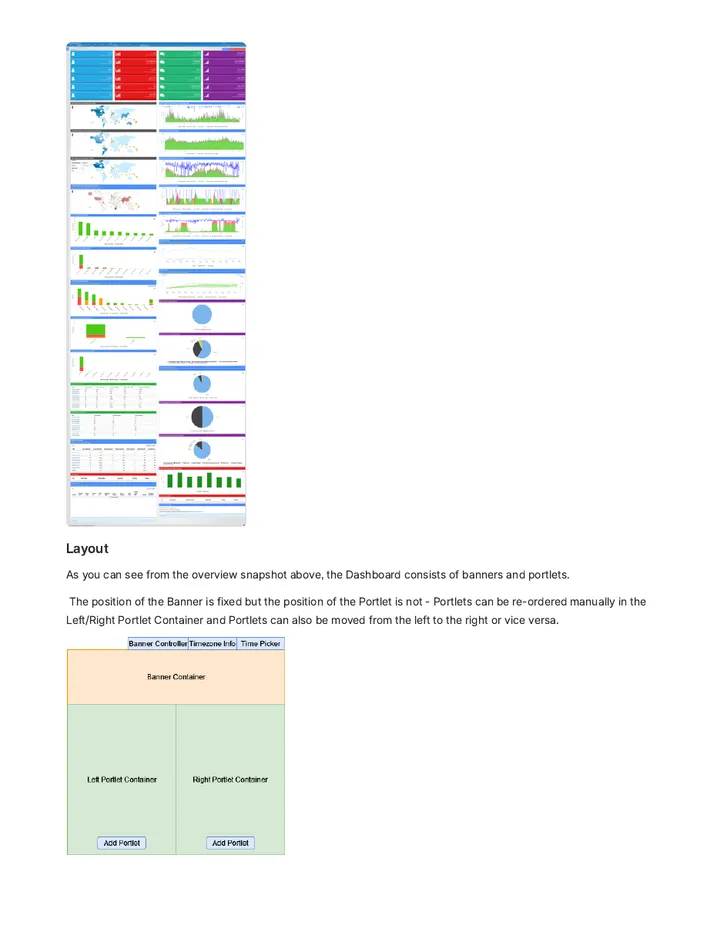
What had to survive. I started from engineering’s feature documentation, which inventoried every banner, portlet, condition and timer.
How people really used it. My manager and I held about 20 interviews with a Syniverse trainer who teaches customer teams, product managers, developers and a couple of end users. They told us what people used, ignored and wanted more of, and that became the three dashboard views. One caveat: only a couple of the interviews were with end users directly. The trainer was our richest channel to the rest.
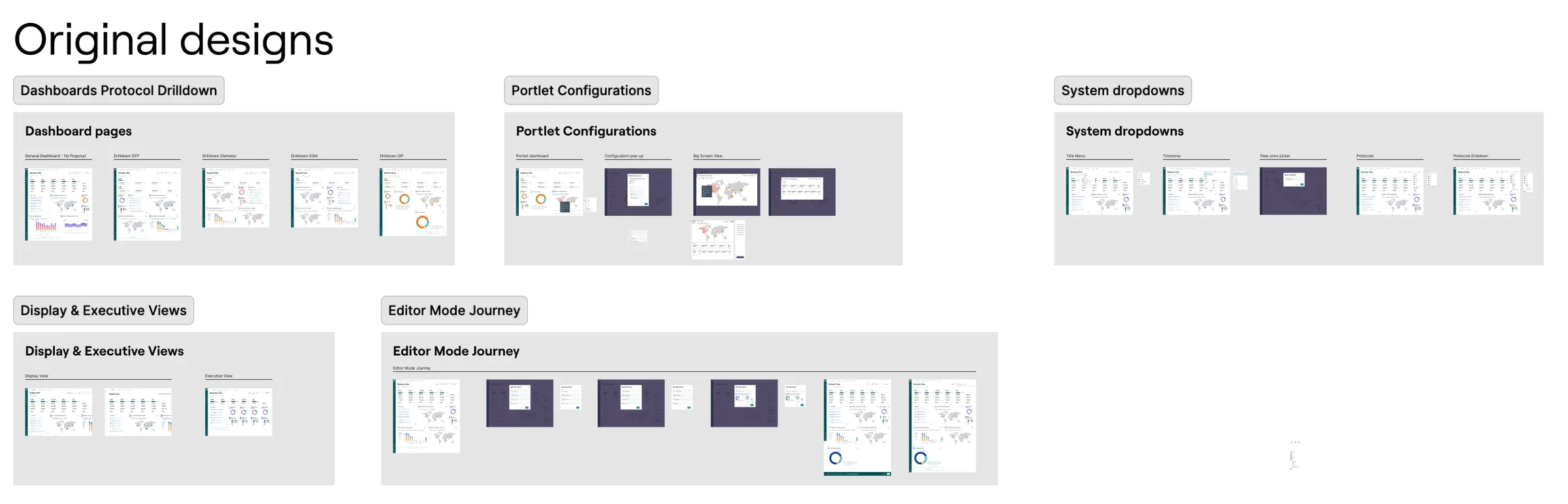
Area by area. The work shipped as MVPs, one quarter at a time, over about two years. Each area went to a joint review with PM and engineering, where we approved the flows before development.
Open full image (opens in a new tab)
Key decisions
Three views for three audiences, plus Editor Mode
- Decided
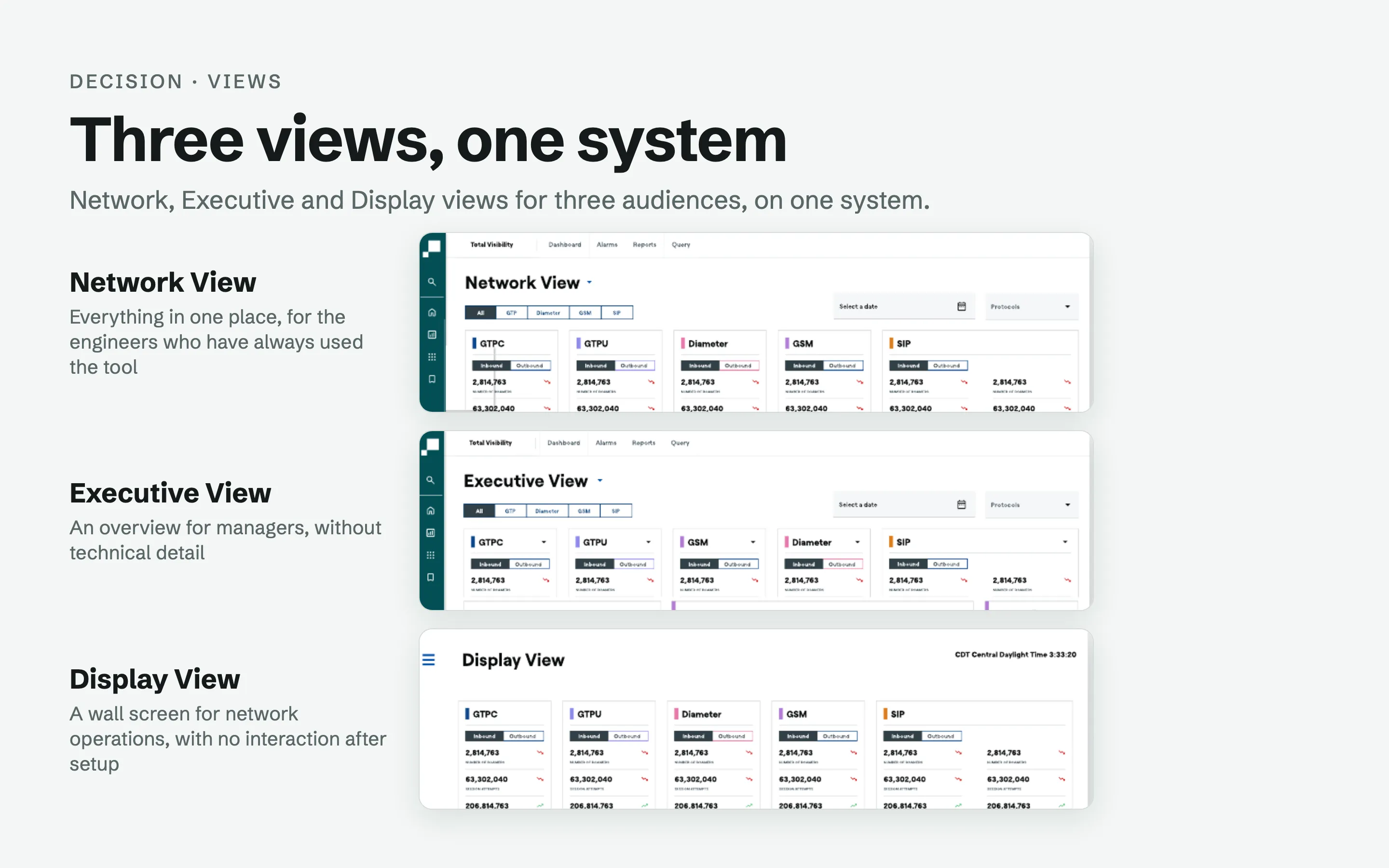
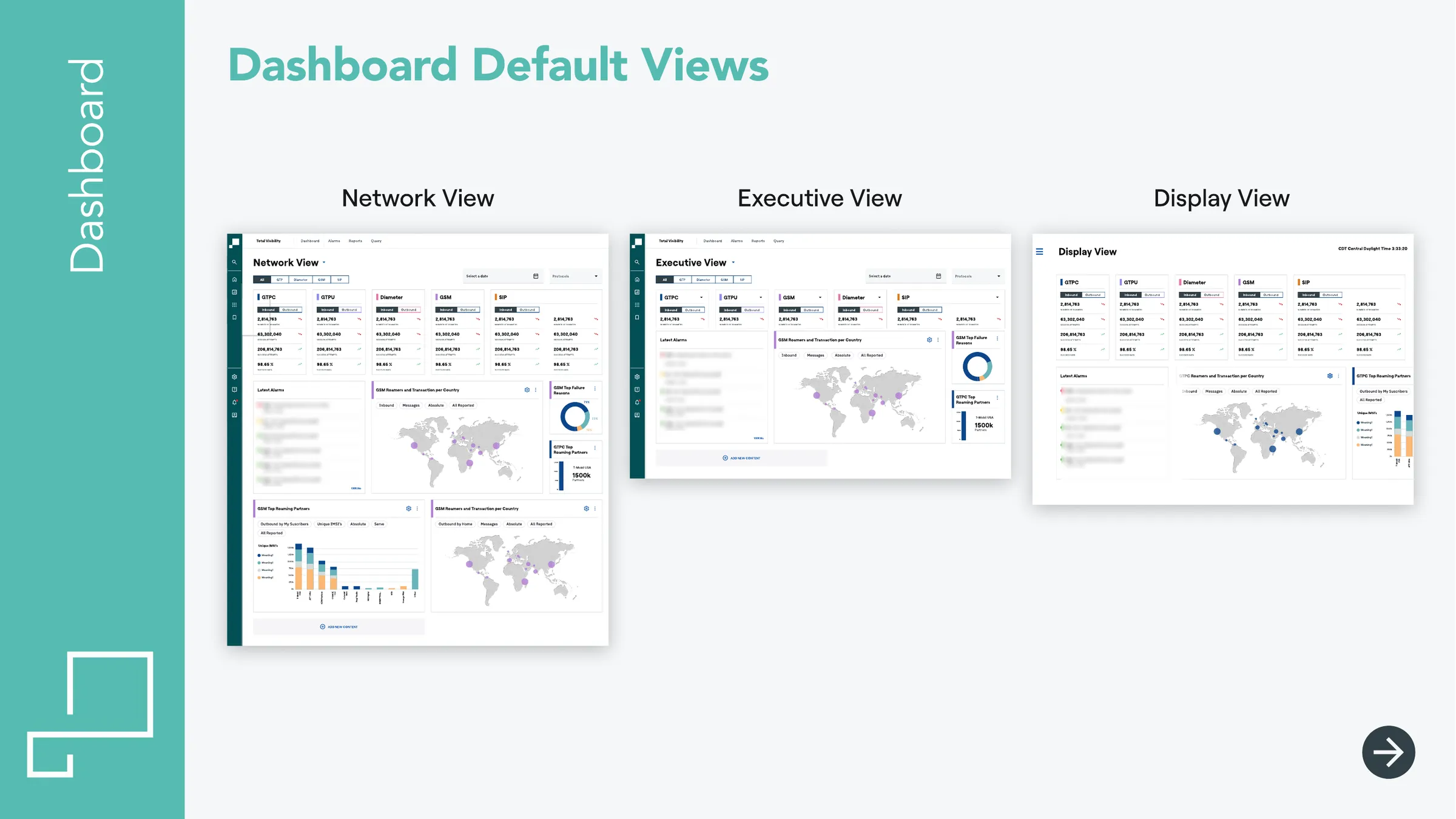
- Three default views from the same cards. Network View puts everything in one place for engineers; Executive View gives managers an overview without technical detail; Display View is configured once for wall screens, like an airport board. Editor Mode lets each user tailor their dashboard.
- Discarded
- One dashboard for every operator.
- Why
- Requests for new charts kept coming and differed from one client to the next, so the answer was a tool for building their own.
Open full image (opens in a new tab)
One color per protocol, from existing tokens
- Decided
- Each protocol (GTPC, GTPU, Diameter, GSM, SIP) has one color across KPI cards, widget headers and charts, built from tokens the design system already had, inside Highcharts, which the legacy product already used.
- Discarded
- A new palette.
- Why
- An engineer can tell which protocol a widget belongs to before reading a label, and it stays consistent as the system evolves into its next version.
Alarms get their own home
- Decided
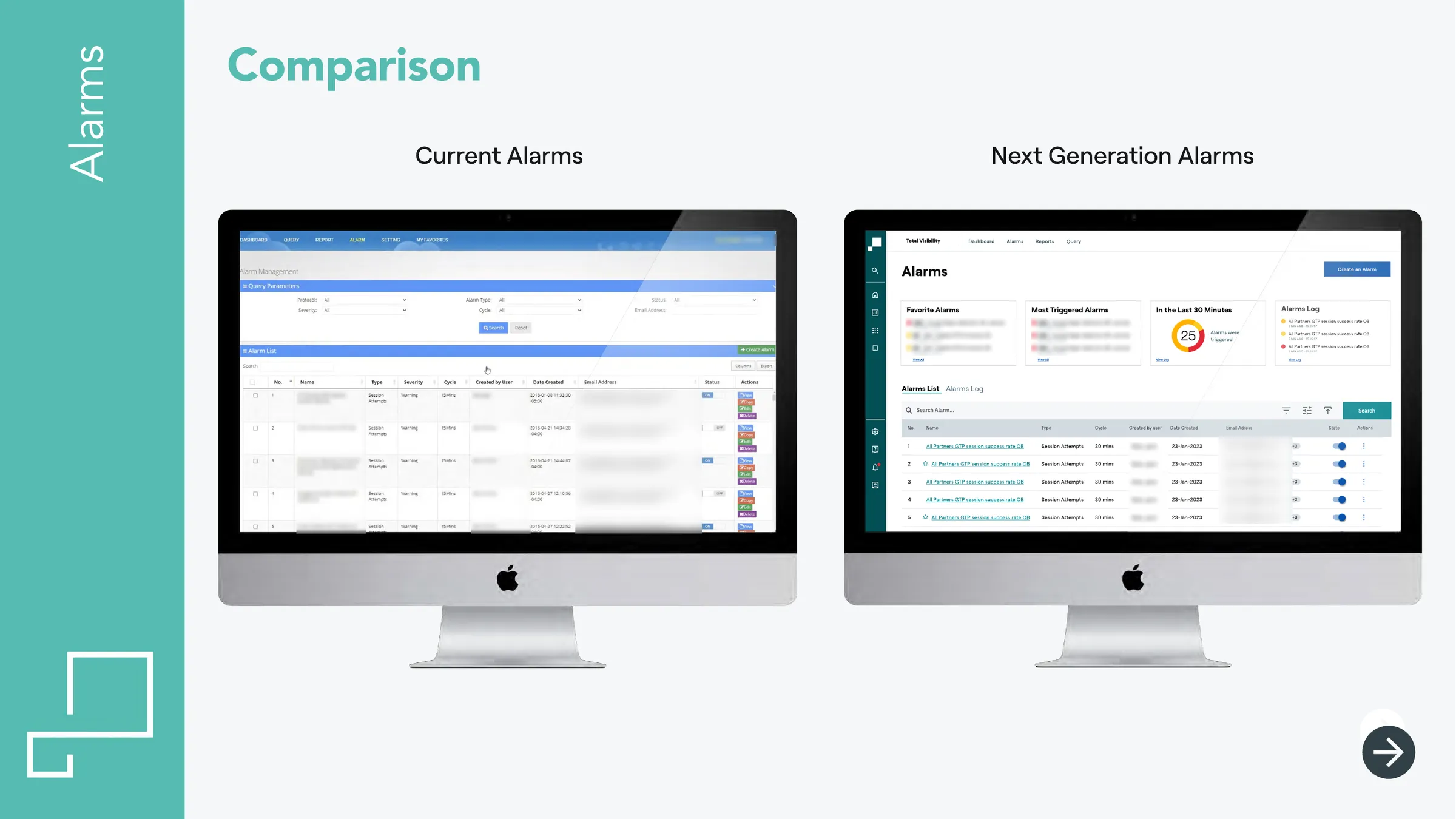
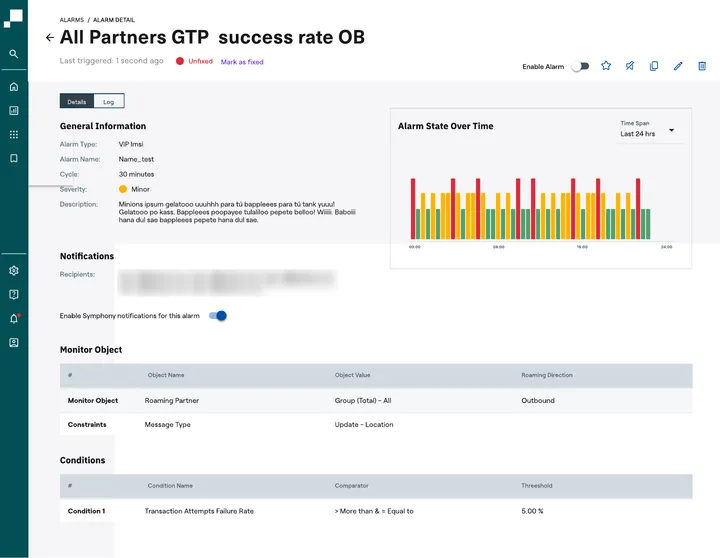
- A dedicated page with summary cards, the full list with inline toggles, and a detail showing state over time. Silencing covers planned maintenance, and engineers can acknowledge an alarm (Fix/Unfix, single and bulk).
- Discarded
- Alarms as one portlet among many.
- Why
- Engineers needed to stop alarms firing during maintenance and to say “seen and handled”. Acknowledge carries over from the legacy tool.
- Effect
- Silencing needed two new components, a date-time picker and a scheduler, now in the design system for every project.
Open full image (opens in a new tab)
Predefined date ranges where data can’t support custom ones
- Decided
- The dashboard has a date picker, but GTP, Diameter and SIP keep predefined ranges. Trend indicators compare the current value with the previous 15 minutes, or the span the user selects.
- Discarded
- A custom range for those protocols.
- Why
- Engineering told me roamer counts can’t be computed accurately over arbitrary ranges. A control that produces numbers people can’t trust is worse than a limited one.
The solution
- Dashboard: three default views, protocol drilldowns, widget configuration, a big-screen map view and Editor Mode.
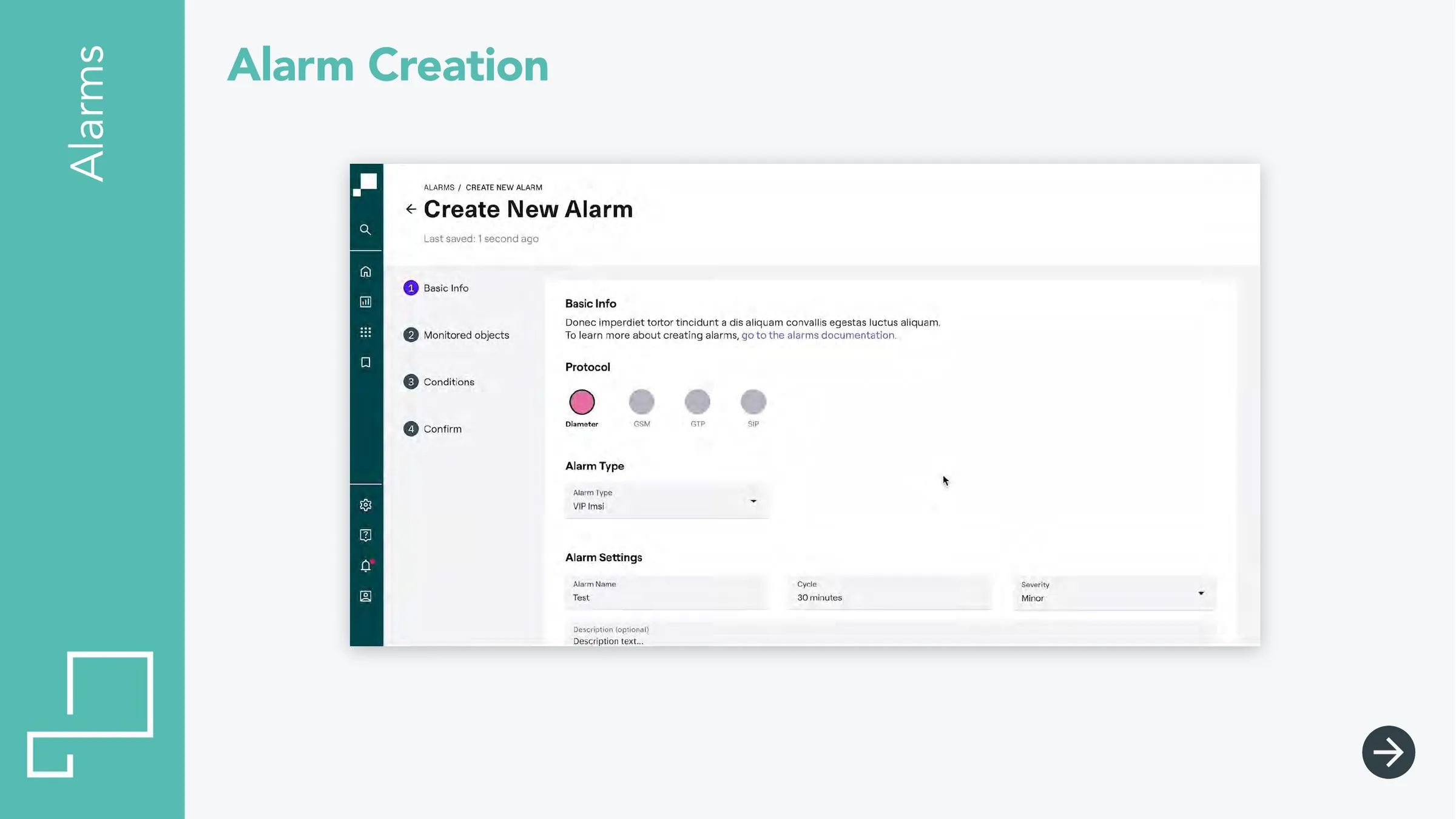
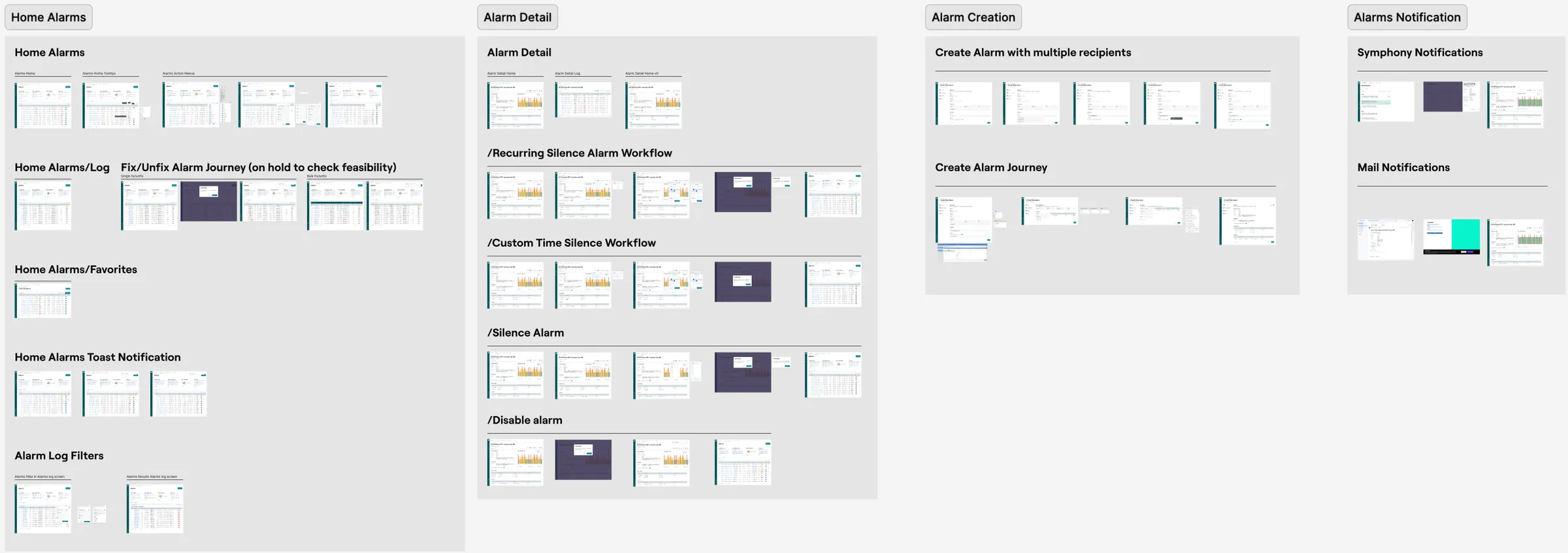
- Alarms: home, log and filters, favorites, detail, creation in four steps, silencing (recurring and custom time), disabling, in-app and email notifications.
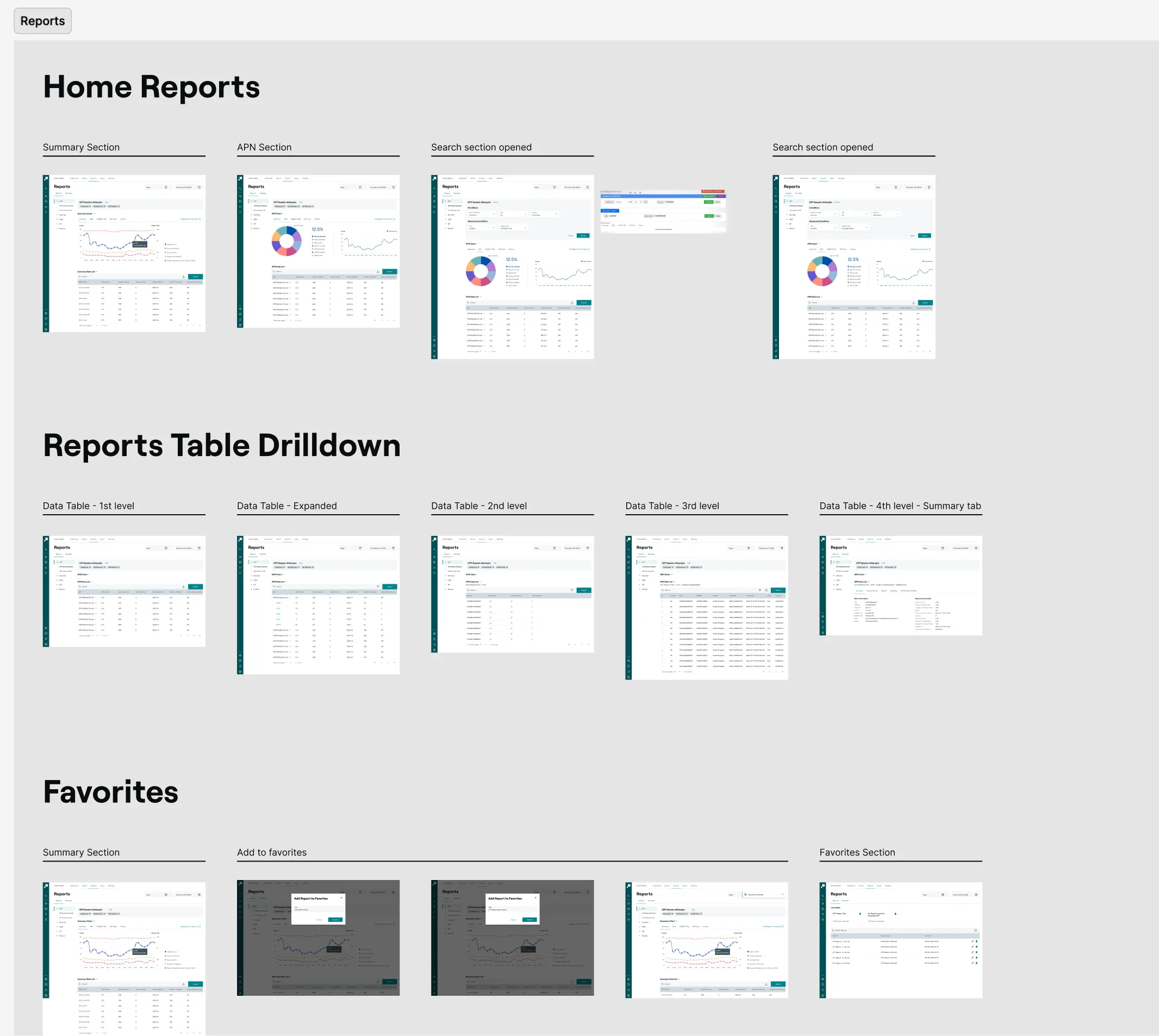
- Reports: summary and APN sections, advanced search, four-level table drilldown, favorites.
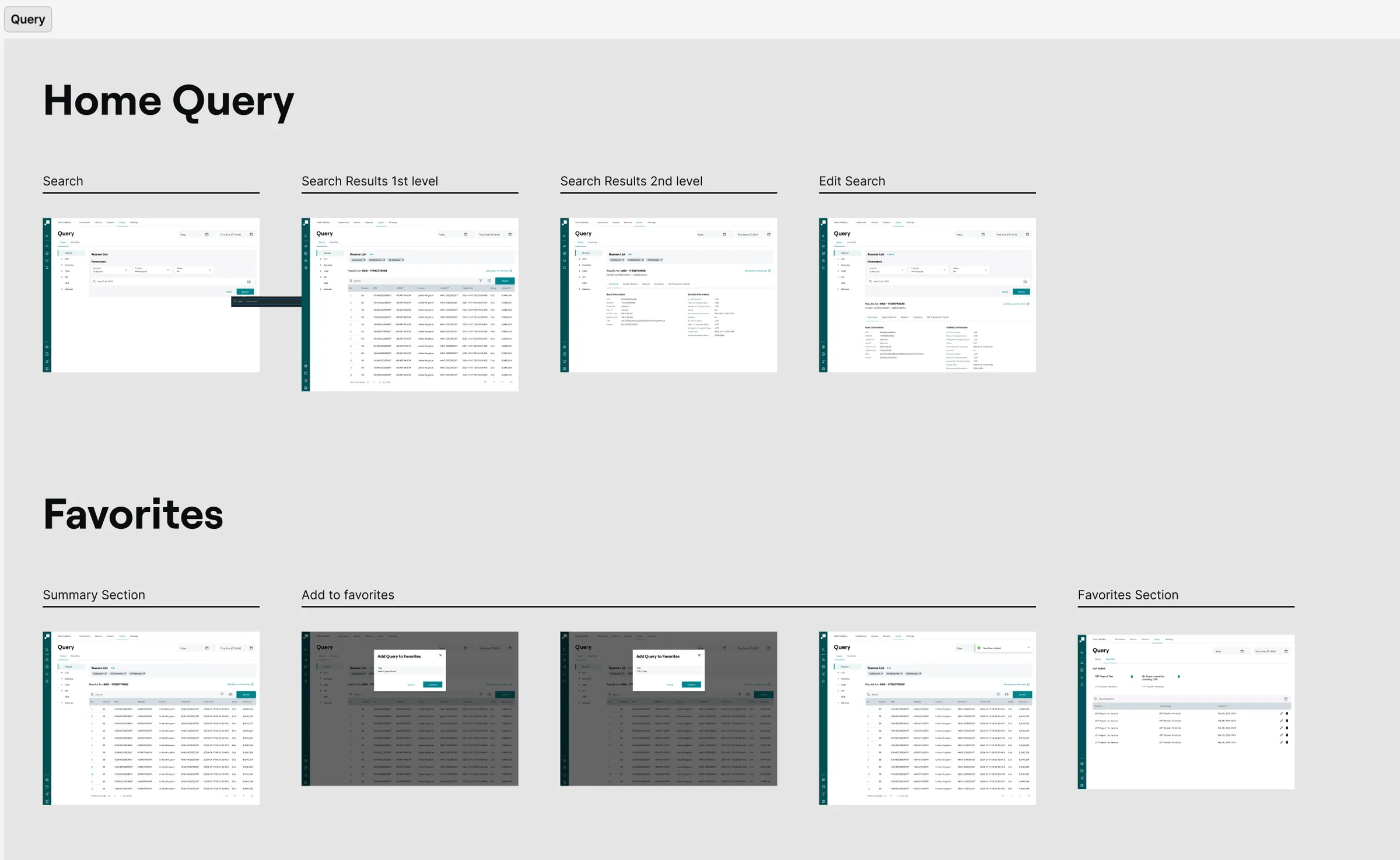
- Query: search by subscriber, two levels of results, saved queries.
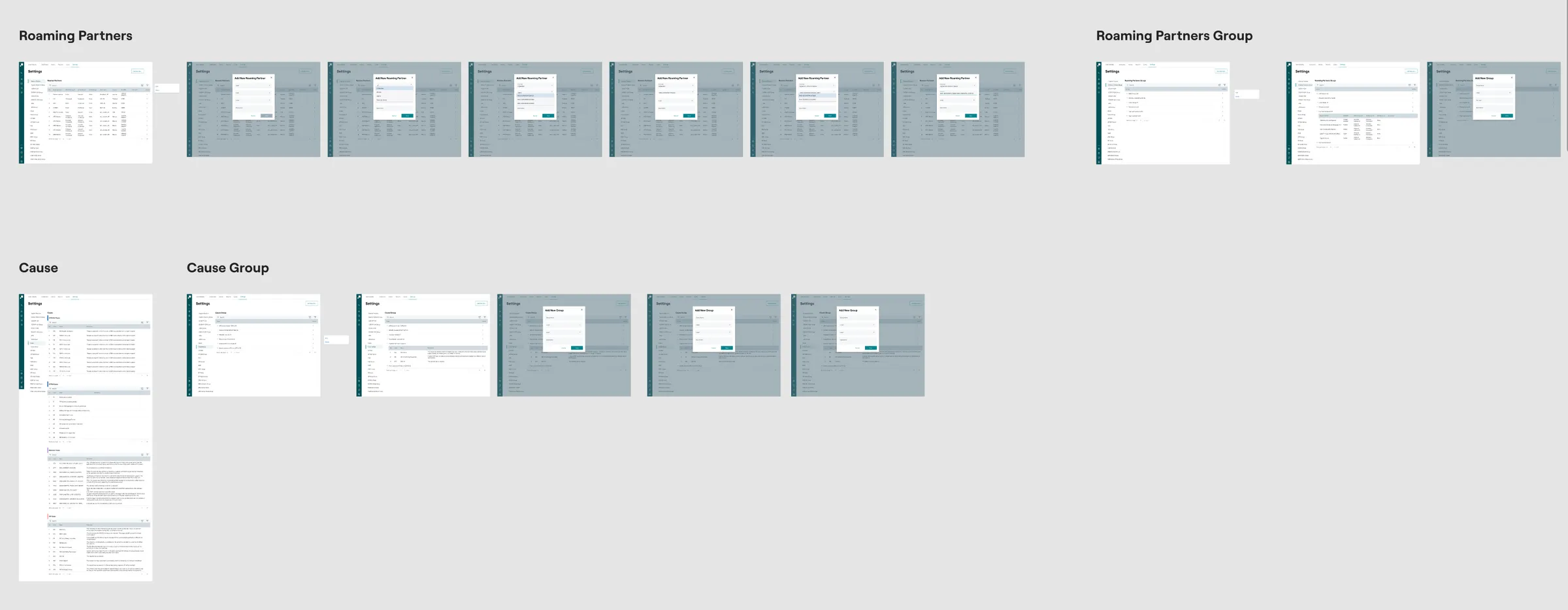
- Settings: roaming partners and groups, causes and cause groups.
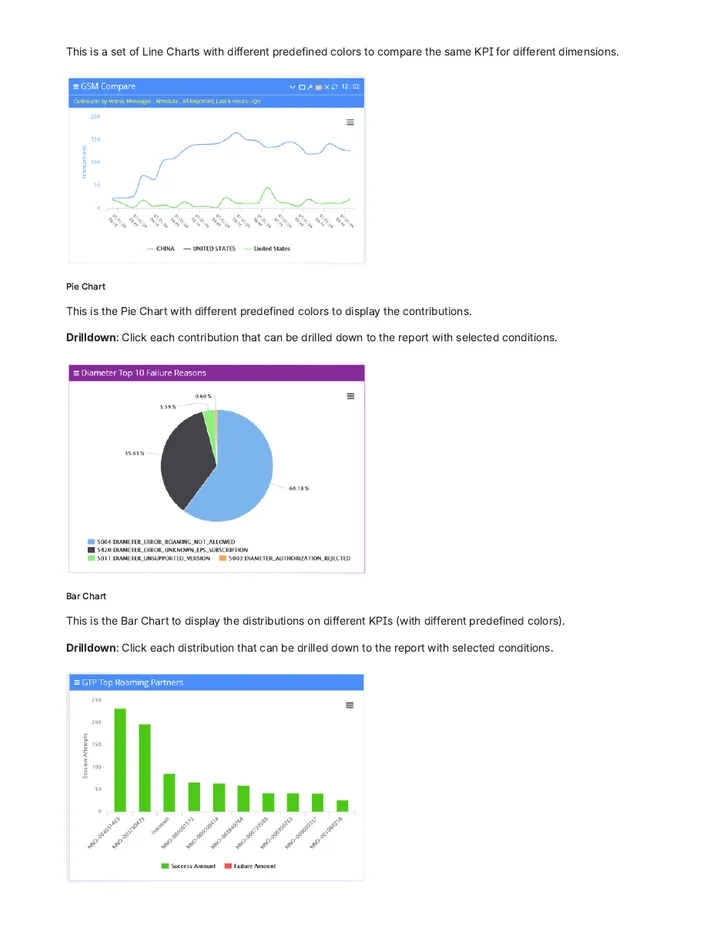
Charts use Highcharts with chart types matched to the question and the same drilldown behavior everywhere.
Open full image (opens in a new tab)
Open full image (opens in a new tab)
Open full image (opens in a new tab)
Open full image (opens in a new tab)
Open full image (opens in a new tab)
Delivery and status
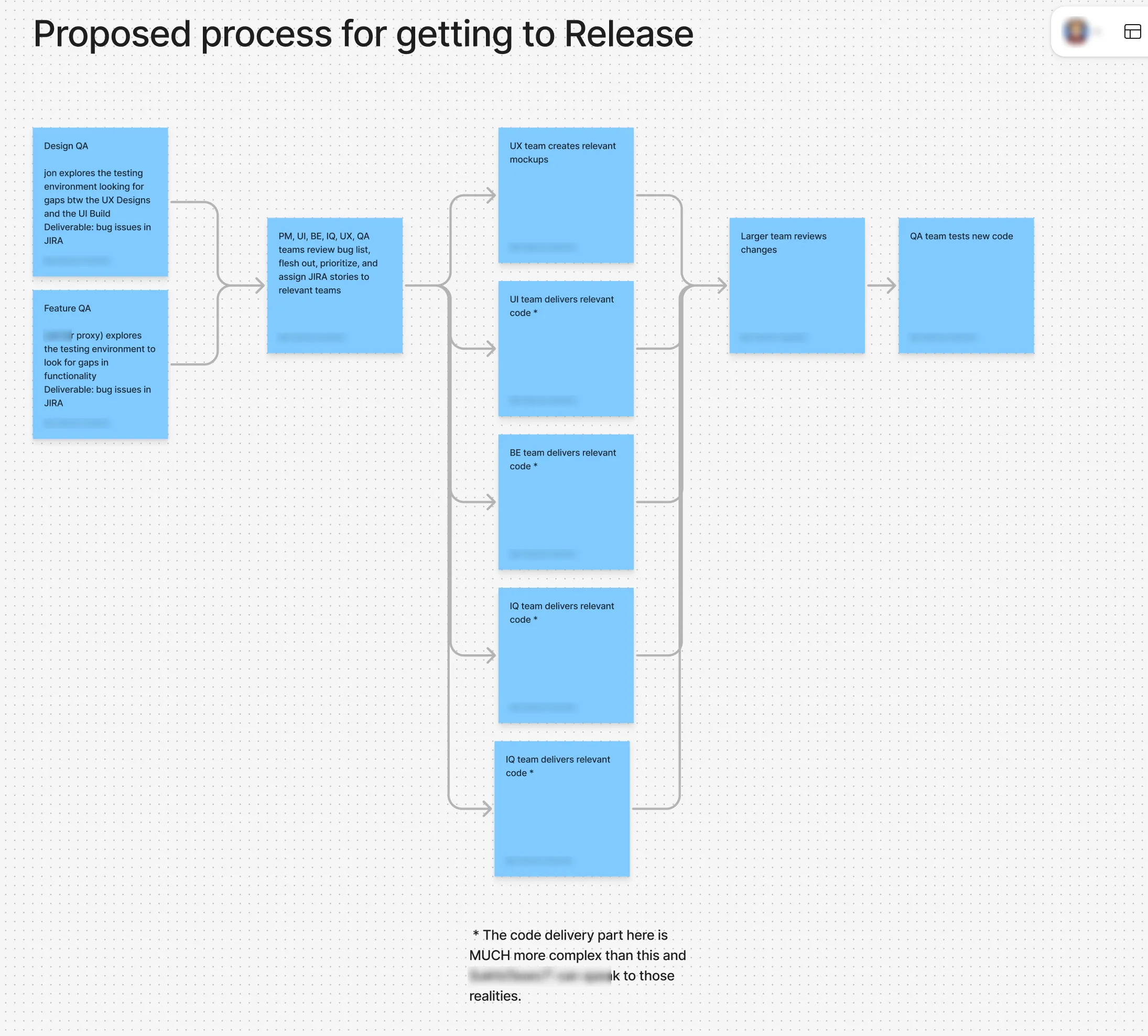
I didn’t stop at handoff. When the build reached the testing environment, I looked for gaps between the designs and what was built, and logged each one as a JIRA issue. Those went to a joint triage with PM, front-end, back-end, UX and QA. The project is ongoing as the design system evolves into its next version.
Open full image (opens in a new tab)
Impact
Dashboards and Alarms are in production and in use by operators’ network engineers. The date-time picker and the scheduler designed for Alarms are now part of the design system, available to every Syniverse product.
Reflection
A monitoring tool for operators can’t be designed for “the user”. Every client wanted different charts, so the right answer wasn’t a better default dashboard but the means for each team to build theirs. Editor Mode and the scheduler came out of that.
Some of my best decisions came from engineering telling me what the data couldn’t do, such as the date-range limit. In monitoring tools, the honest constraint usually makes a better design than the flexible control.
Client names in screenshots are blurred.